
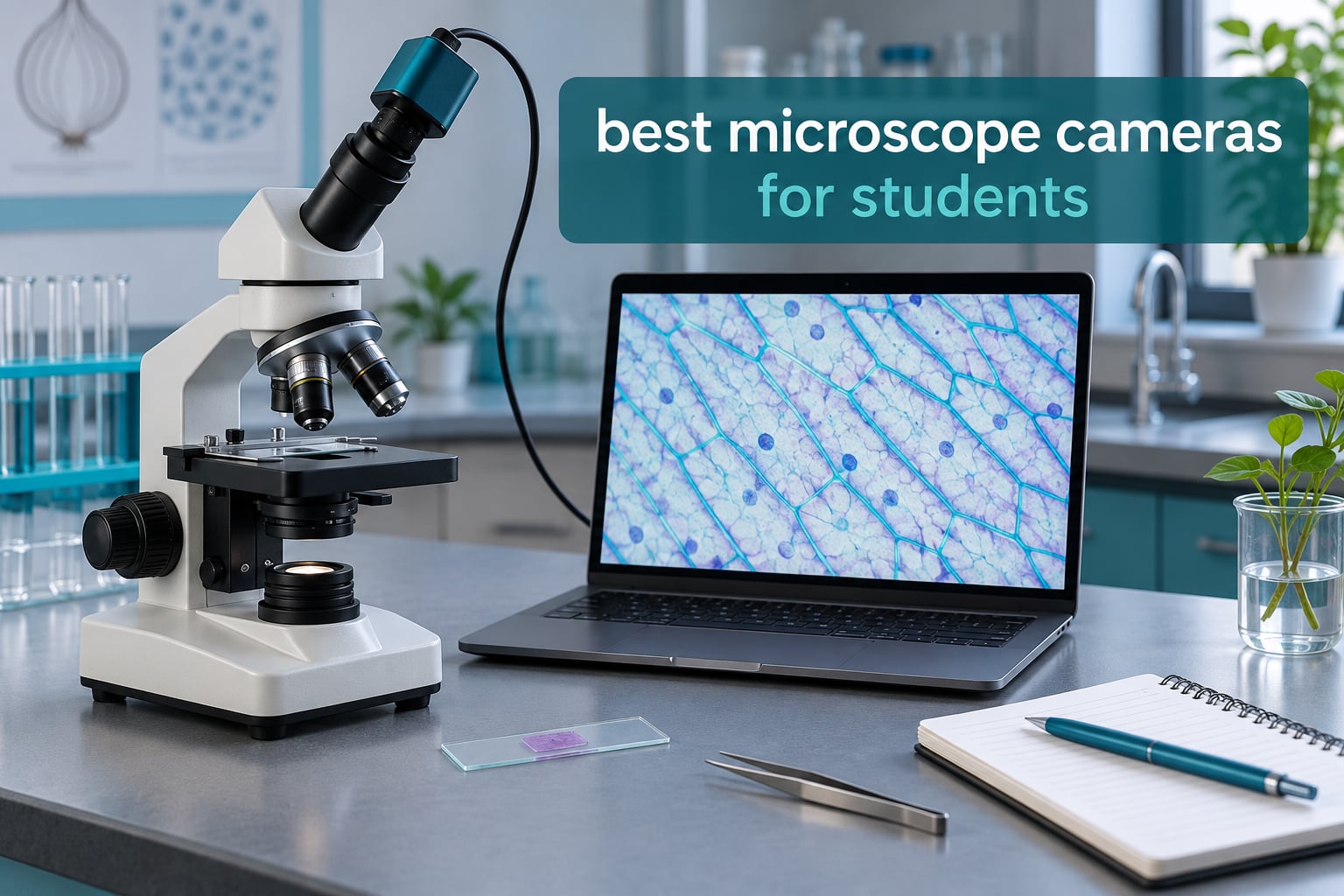
A microscope camera is a small imaging device that bolts onto a microscope so you can view a specimen on a screen instead of through one eyepiece, then save photos and video of what you see. It comes as an electronic eyepiece that replaces the glass one, a C-Mount module on a trinocular port, or a standalone USB or WiFi unit. For students, that one change turns a single-person eyepiece into a screen the whole class can gather around.
That is the premise behind this guide to the best microscope cameras for students in 2026. Almost every competing roundup on this topic quietly drifts into whole microscopes, even though most students already own a scope. Our list is camera-first: four of the ten picks here are standalone cameras you bolt onto a scope you already own, and the rest are camera-equipped bundles. If you have a school scope gathering dust in a cupboard, you do not need to replace it — you need a camera that fits its eyepiece diameter or its trinocular port.
We spent weeks putting these through the same questions a student would ask. Does the live view lag when you focus at 400X? Can you get an image into a lab report at a size your teacher will accept? Will it install on a Chromebook or a Windows 11 laptop with core isolation switched on? And does the bundled software actually save your file, or do you lose it on close? The answers shaped every pick below, and we have written the failures in as plainly as the wins.
Table of Contents
- Top 3 Picks for the Best Microscope Cameras for Students (October 2026)
- Best Microscope Cameras for Students in 2026 Quick Overview
- 1. AmScope B120C-E5 Binocular Compound Microscope with 5MP Camera – The One to Buy If You Are Starting From Nothing
- 2. SWIFT SW150 Monocular Microscope with Eyepiece Camera – Cordless Work Where There Is No Outlet
- 3. SWIFT SW350T Trinocular Microscope with 2.0MP Camera – Image While You Still Look Through the Eyepieces
- 4. Woehrsh Trinocular Compound Microscope 40X-5000X – Wide Range With an Adult Footprint
- 5. AmScope MD500-CK USB Digital Microscope Camera – The Standalone Camera to Buy for a Scope You Already Own
- 6. SWIFT EP2M 2MP Digital Eyepiece Camera – The Practical Entry Point to Photomicrography
- 7. OOZSTAR 4.3 Inch Display Microscope with Built-in 5MP Camera – The Screen That Fits a Small Group
- 8. TOMLOV DM301 Pro 7 Inch Screen Microscope – Easiest Option for Projecting to a Classroom
- 9. AmScope MD300 3MP USB Microscope Camera – The One That Runs on Mac and Linux Too
- 10. OMAX A35180U3 18MP USB 3.0 C-Mount Camera – For Serious Lab Imaging Once You Outgrow Eyepiece Cameras
- How We Picked
- How to Choose a Microscope Camera for Students
- Frequently Asked Questions
- Final Verdict
Top 3 Picks for the Best Microscope Cameras for Students (October 2026)
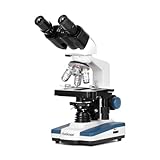
AmScope B120C-E5 + 5MP Camera
- 40X-2500X binocular compound scope
- 5MP USB camera included
- Fly-eye LED illumination
- 5-year warranty

AmScope MD500-CK USB Camera
- 5MP stills and live video
- Calibration slide in the box
- Fits 23mm 30mm and 30.5mm eyepieces

SWIFT EP2M 2MP Eyepiece Camera
- 2MP 1920x1080 at 30 fps
- Windows and macOS support
- S-Viewer measurement software
All three attach to equipment you may already own, and all three handle the two jobs students care about most: a live view big enough to focus on, and a capture button that produces a file you can hand in.
Best Microscope Cameras for Students in 2026 Quick Overview
| Product | Key Specs | Pricing |
|---|---|---|
| AmScope B120C-E5 with 5MP Camera |
|
Check Latest Price |
 SWIFT SW150 Monocular with Eyepiece Camera SWIFT SW150 Monocular with Eyepiece Camera |
|
Check Latest Price |
 SWIFT SW350T Trinocular with 2MP Camera SWIFT SW350T Trinocular with 2MP Camera |
|
Check Latest Price |
 Woehrsh Trinocular 40X-5000X Woehrsh Trinocular 40X-5000X |
|
Check Latest Price |
| AmScope MD500-CK USB Camera |
|
Check Latest Price |
| SWIFT EP2M 2MP Eyepiece Camera |
|
Check Latest Price |
 OOZSTAR 4.3 inch Display Scope OOZSTAR 4.3 inch Display Scope |
|
Check Latest Price |
 TOMLOV DM301 Pro 7 inch Screen TOMLOV DM301 Pro 7 inch Screen |
|
Check Latest Price |
 AmScope MD300 3MP USB Camera AmScope MD300 3MP USB Camera |
|
Check Latest Price |
 OMAX A35180U3 18MP USB 3.0 Camera OMAX A35180U3 18MP USB 3.0 Camera |
|
Check Latest Price |
The list runs from a self-contained screen microscope to a specialist 18MP C-mount sensor. Read the table for the shape of each option, then jump to the review that matches your situation.
1. AmScope B120C-E5 Binocular Compound Microscope with 5MP Camera – The One to Buy If You Are Starting From Nothing
AmScope B120 Series Student & Professional LED Binocular Compound Microscope 40X-2500X Magnification with 5MP Digital Camera, 3D Stage and Interactive Software Kit
40X-2500X binocular scope
5MP USB camera included
Fly-eye LED
5-year warranty
- Five-year warranty on the whole microscope and camera bundle
- 5MP camera produces images good enough for lab reports
- Four parfocal objectives including an oil immersion lens
- Adjustable condenser and mechanical 3D stage
- Excellent value for a complete research-capable setup
- Stage slide holder is flimsy and slips over slides
- Clarity drops at the 1200X and 1600X oil settings
- Some units arrived with cloudy objectives or debris in the head
- Camera minimum magnification is around 100X
This is the strongest combination of rating and review volume in the group, with owners consistently treating it as a home lab rather than a classroom scope. The optics run 40X to 2500X across four parfocal objectives, including the oil immersion lens that college microbiology students need, and the fly-eye LED system gives you bright, daylight-balanced light without a separate lamp. The included 5MP USB camera and the analysis software handle stills, video, stitching and measurement from one window.
What surprised me was how much the mechanical 3D stage matters once you are capturing instead of peeking. Slide manipulation by hand at 400X is frustrating, and the stage turns it into a controlled movement. If your school already provides scopes, this is overkill — but for a homeschool family or a student building a first home lab, it is the answer in this group.
The build details are where the complaints live, and they are worth knowing before you commit. The slide holder on the stage is thin and slips over a slide rather than gripping it, so slides drift during long sessions. Optical clarity holds up well to about 1000X and then softens at 1200X and 1600X, which matters only if you are doing serious oil work. A few owners also received scopes with a cloudy 40X objective or plastic debris in the head that showed up as a black dot in the camera view, so inspect the box on arrival.
Check the minimum magnification before you commit
The sensor size means the camera bottoms out around 100X, so low-power views of a whole plant section or a large insect wing are not really available through the camera. Students who need a wide view of a big specimen at 40X will be happier looking through the binocular eyepieces and using the camera for detail shots.
The binocular head has two sets of oculars, which means you can switch a pair of students in without moving the slide. That, plus the five-year warranty and the replaceable-parts support, is why this takes the top slot for anyone starting from a bare bench.
Where it is the wrong choice
Skip it if a working microscope is already on your desk, or if the kit has to survive a room of thirty students. Reviewers are direct that the frame and stage are not built for drops and rough handling, and the stage holder is the first part likely to fail. A USB eyepiece camera costs a fraction of this and does the documenting job on any scope you already trust.
It is also a large instrument. At 12.5 by 9.5 by 18 inches it needs a dedicated shelf, storage case planning, and a place to put the immersion oil afterwards.
As an Amazon Associate we earn from qualifying purchases, at no additional cost to you. CERTAIN CONTENT THAT APPEARS ON THIS SITE COMES FROM AMAZON. THIS CONTENT IS PROVIDED 'AS IS' AND IS SUBJECT TO CHANGE OR REMOVAL AT ANY TIME.
2. SWIFT SW150 Monocular Microscope with Eyepiece Camera – Cordless Work Where There Is No Outlet
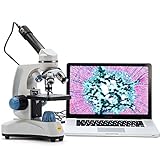
SWIFT Microscope SW150,Compound Student Microscope,40X-1000X,Monocular Head,Coarse & Fine Focusing,Dual Illumination,Cordless-Capable with Eyepiece Camera and Software Windows and Mac Compatible
40X-1000X monocular scope
Metal body at 2.09 kg
Dual LED illumination
Windows and Mac software
- Metal body and base feel sturdier than plastic student scopes
- Cordless and battery capable for field collection
- Rotating monocular head for one-on-one instruction
- Dual LED covers transparent and solid specimens
- 10X and 25X wide-field eyepieces included
- Bundled eyepiece camera and software were unreliable for some buyers
- No printed instructions in the box
- Upper and lower lights cannot be lit at the same time
- Slow or absent customer support reported
- Occasional illumination or objective faults on arrival
Students and hobbyists consistently praise the metal construction, the straightforward focusing, and how the cordless capability makes real outdoor specimen collection practical. Four objectives give 40X through 1000X, and the dual LED illumination switches between transmitted light for transparent slides and reflected light for solid objects like a leaf or a coin. At 2.09 kg it is heavy enough to feel stable on a table and light enough to carry in a backpack.
The fully rotatable monocular head is a quiet advantage for shared labs. One student looks while the instructor leans in, then the tube swings to the next person without anyone touching the stage. That is a feature binocular heads cannot offer at this size.
The recurring weak point is the bundled eyepiece camera and its software, which several buyers report as unreliable or hard to connect. A rotating head that cannot hold a camera steady compounds the problem, because any movement shows up directly in the frame. For pure optical work the scope is solid; for documenting, expect to spend time in setup.
Check that you can light a specimen and photograph it
The upper and lower lights cannot be switched on together, so a solid object lit from above will cast shadows rather than show even detail. That is fine for quick looks and awkward for a science fair board where flat, shadow-free images matter. Plan your captures around one light source at a time.
There are no printed instructions in the box, which adds friction for anyone who has not used a compound scope before. Budget an evening with a beginner walkthrough rather than expecting to assemble and image in one sitting.
Where it is the wrong choice
Do not choose this if your main goal is a large, shareable image. A monocular head plus a rotating tube plus an unreliable bundled camera is three weak points stacked on one instrument. If you want dependable lab report images, an add-on camera on a scope you already own is the safer route.
It is also the wrong pick for a shared classroom set given how often buyers report missing or faulty illumination on arrival and slow support when it happens.
As an Amazon Associate we earn from qualifying purchases, at no additional cost to you. CERTAIN CONTENT THAT APPEARS ON THIS SITE COMES FROM AMAZON. THIS CONTENT IS PROVIDED 'AS IS' AND IS SUBJECT TO CHANGE OR REMOVAL AT ANY TIME.
3. SWIFT SW350T Trinocular Microscope with 2.0MP Camera – Image While You Still Look Through the Eyepieces
SWIFT Trinocular Compound Microscope SW350T,40X-2500X Magnification,Siedentopf Head,Research-Grade,Two-Layer Mechanical Stage,1.3mp Camera and Software Windows and Mac Compatible
40X-2500X trinocular scope
2.0MP USB 2.0 camera
4.7 kg metal build
100 slides and 100 cover slips
- Trinocular port images while both eyepieces stay usable
- 200-piece kit includes 100 slides and 100 cover slips
- Solid metal build at 4.7 kg with a double-layer mechanical stage
- Software covers stitching EDF and measurement
- Abbe condenser with coaxial X-Y stage travel
- Camera field of view is extremely narrow
- Camera does not lock tight and the view sits off-centre
- Software is unintuitive and saves images one at a time
- Built-in light is only just bright enough
- Some units arrived without the software disc
The reason to upgrade a student microscope to a trinocular head is simple. The third port carries the camera, so the two viewing eyepieces stay open and you keep full manual control while images capture in the background. Families and schools treat this as a genuine step up from a monocular scope, and the bundled 200-piece kit means it works the day it arrives.
Optically it is a proper instrument. Four achromatic objectives spanning 4X to 100X oil, 10X and 25X wide-field eyepieces, a Siedentopf head with a 30-degree tilt and 360-degree swivel, and a double-layer mechanical stage with coaxial X-Y travel under an Abbe condenser. Software for Windows and Mac OS X covers image stitching, EDF and measurement.
The bundled camera is where enthusiasm cools. Reviewers rate the field of view as extremely narrow, so on-screen images come back heavily magnified and need a reduction lens, and the camera does not lock down tightly in the port — it wiggles and the view does not centre on what the eyepieces show. The built-in illumination is also only just bright enough on its own for stained slides at higher power.
Work out how you will handle the images
The software saves images one at a time with extra steps, and some units arrive without the software disc at all. If your lab report needs twelve images across a session, plan your capture sequence and save to a named folder as you go, because these student camera tools generally do not autosave.
The tight fit in the trinocular port is a real adjustment. Take a few minutes to find the position where the camera view centres on the eyepiece image and mark the ring, then leave it alone. Fibre rings sold for this purpose are common laboratory habit rather than a gimmick.
Where it is the wrong choice
Pick something else if your documentation is the priority and viewing through the eyepieces is not. The camera is consistently described as entry level, and the cramped field means you will spend your session fighting the image rather than studying the specimen.
It is also a heavy, 4.7 kg instrument with a footprint to match, which makes it a poor fit for a crowded shared bench that gets moved between classes.
As an Amazon Associate we earn from qualifying purchases, at no additional cost to you. CERTAIN CONTENT THAT APPEARS ON THIS SITE COMES FROM AMAZON. THIS CONTENT IS PROVIDED 'AS IS' AND IS SUBJECT TO CHANGE OR REMOVAL AT ANY TIME.
4. Woehrsh Trinocular Compound Microscope 40X-5000X – Wide Range With an Adult Footprint
Woehrsh Trinocular Microscope 40X-5000X Magnification Laboratory Grade with Dual Mechanical Stage and HD USB Camera Microscopes for Adults(Adult Trinocular Microscope with Electronic Eyepiece)
40X-5000X claimed range
195 achromatic infinity optics
306-degree swivel head
Double-layer mechanical stage
- Includes two WF10x and two WF25x eyepieces plus 2x auxiliary lenses
- Metal construction with a laboratory-grade feel
- Coaxial dual-layer stage and fine focus for precise work
- Large accessory pack with slides cover slips and a phone holder
- Swivel head supports shared viewing between observers
- The 5000X headline figure depends on the 2x auxiliary lenses
- Adult-sized design with a larger footprint than student equipment
- HD USB camera resolution is modest for the range it covers
- Thinner review base than mainstream microscope brands
This is the pick for students who will be working with animal husbandry, veterinary training or teaching labs rather than permanent prepared slides. The accessory pack alone is unusually generous, with slides, cover slips, specimen sections, tools and a phone holder, and the 306-degree swivel head with adjustable pupil distance and diopter makes it easy to hand the scope between observers of different heights.
The optical system is described as a 195 achromatic objective on an infinity-corrected design with coated lens surfaces, which is the language of a working lab scope rather than a toy. The double-layer mechanical stage with dual coaxial coarse and fine focusing is genuinely useful when you are tracking a moving prepared sample.
Read the magnification claim carefully. The 5000X figure depends on the included 2x auxiliary lenses rather than the objective alone, so it is not a number you will work at routinely. Buyers also point out that the HD USB camera resolution is modest relative to that range, and that the adult-oriented design needs more bench space than student equipment.
Match it to the specimen and the room
Sample size on this listing is smaller than for mainstream microscope brands, so expect fewer independent accounts of long-term daily use. If your department already standardises on a particular brand, verify replacement parts and slide compatibility before committing rather than assuming interchangeability.
Check that you have the desk area. A scope of this class with a double-layer stage and swivel head is not a bring-your-own-to-the-lab-centre instrument.
Where it is the wrong choice
It is the wrong pick for a middle school lab, a small homeschool shelf, or anyone who needs a straightforward teaching instrument with a beginner-friendly setup. The accessory volume that makes it attractive to a lab also makes it more to unpack and store.
If the priority is a camera rather than a microscope, the bundled HD USB camera is not what you are buying this for.
As an Amazon Associate we earn from qualifying purchases, at no additional cost to you. CERTAIN CONTENT THAT APPEARS ON THIS SITE COMES FROM AMAZON. THIS CONTENT IS PROVIDED 'AS IS' AND IS SUBJECT TO CHANGE OR REMOVAL AT ANY TIME.
5. AmScope MD500-CK USB Digital Microscope Camera – The Standalone Camera to Buy for a Scope You Already Own
AmScope MD500-CK USB Digital Microscope Camera + Calibration Kit
5MP stills and live video
23mm 30mm and 30.5mm eyepieces
Calibration kit included
USB powered
- Software installs easily with stitching stacking and measurement
- Works with standard microscope eyepieces without adaptors
- Image quality matches or beats DSLR adapter setups for beginners
- Calibration kit enables accurate measurement in lab reports
- Good value for a dedicated microscope camera
- Live view lags noticeably at higher objectives
- Mediocre for publication-quality photomicrography
- Light-related artifacts appear at high magnification
- Software has a learning curve
- Limited frame rate suits static samples only
If you own a decent compound microscope and want photographs, this is the most sensible purchase. The 5.0 MP sensor captures stills and live video, and the body is USB powered, so there is no separate power supply to lose on a school trip. It is a true drop-in: it fits three mounting sizes at 23mm, 30mm and 30.5mm, and the adapters are in the box.
The software is the reason owners keep it. Editing, image stacking, enhanced depth of field and calibrated measurement come bundled, and the included calibration slide is what turns a snapshot into a lab report figure with a real scale bar. Beginners report image quality equal to or better than a DSLR adapter setup, which is remarkable for a unit this compact.
The dominant limitation is live view lag, particularly at higher objectives. Focusing by screen at 400X takes patience, and it is the flaw that pushes people back to the eyepiece mid-session. Image quality is adequate for coursework but not for publication-quality photomicrography, and light-related artifacts become visible at high magnification on brightly lit slides.
Decide what your images are for
For lab reports, science fair boards and lesson handouts, this camera does more than enough. Calibrated measurement means you can state a real size for a structure rather than a guess, which is what most lab reports actually need. For journal submission or fine detail on a stained tissue section, the sensor will not carry you.
Windows XP through Windows 10 support is listed. On a Windows 11 machine or a Chromebook, plan for a driver check before the term starts rather than the night before the lab is due.
Where it is the wrong choice
Skip it if you need to image a live moving sample. The limited frame rate and the live view lag make protozoa and similar specimens frustrating, and users consistently report that fast-moving or larger subjects do not handle well.
It is also not the choice for a Chromebook-only classroom or for group viewing, since the image lives on one computer screen rather than a display the whole room can see.
As an Amazon Associate we earn from qualifying purchases, at no additional cost to you. CERTAIN CONTENT THAT APPEARS ON THIS SITE COMES FROM AMAZON. THIS CONTENT IS PROVIDED 'AS IS' AND IS SUBJECT TO CHANGE OR REMOVAL AT ANY TIME.
6. SWIFT EP2M 2MP Digital Eyepiece Camera – The Practical Entry Point to Photomicrography
SWIFT EP2M 2-MP 1920 * 1080 Digital Eyepiece Microscope Camera, fits 23.2 mm eyepieces & Most trinocular phototubes, S-Viewer for Measuring & Annotation, Compatible with Windows 7–11 & macOS
2MP 1920x1080 at 30 fps
GC2053 sensor with 2.7 micron pixels
1.28 ounce body
1 year electrical and 5 year mechanical warranty
- Low-cost route into capturing specimen images
- 2MP progressive-scan live view at 30 fps
- S-Viewer software handles calibration measurement and annotation
- Fits 23.2mm eyepieces and most trinocular phototubes
- Works with both Windows and Mac classrooms
- Printed instructions carry an incorrect software download link
- Bundled mini CD is unusable on Mac
- Often fails to be recognised by Windows and the cable disconnects
- Field of view is narrow
- Built-in setting skews colour and corrected capture is slower
At around 1.28 ounces this is a camera you can carry in a pencil case, and the 2 MP progressive-scan sensor delivers 1920×1080 live view at 30 fps. The S-Viewer software on the included USB drive covers scale calibration, measurement and annotation, which is far more capability than most first cameras at this level offer. Teachers and students like that it fits older and modern school scopes without fuss.
The warranty is worth noting: one year on the electronics and five years on the mechanical body. For a device that will be knocked around in a bag between classes, that split is a fair signal about where the manufacturer expects wear.
Documentation and connection are the weak points. The printed instructions carry an incorrect software download link, the bundled mini CD does not work on Mac, and buyers report the camera frequently failing to be recognised by Windows, along with cables that disconnect at the slightest movement. Treat the included drive as the real install source and secure the cable strain relief with a wrap.
Set your expectations on field of view and colour
The field of view is narrow, so you see a small area of the specimen, and the pixel count suits static samples such as cells and tissue slides rather than larger or moving subjects like protozoa. A built-in setting skews colour, while the corrected capture path is slower and less clear. For a stained slide in a lab report, accept the correction delay and take the shot.
Handle the connection carefully and this camera will do the basic job at a level that surprises people.
Where it is the wrong choice
It is the wrong pick for a Mac-heavy classroom, where the mini CD and the printed instructions push you straight into a manual download. It is also the wrong pick for a Chromebook, which has no native path for this kind of USB capture device.
If you need images wide enough to orient yourself on a slide, or any video of movement, step up a class rather than work around it.
As an Amazon Associate we earn from qualifying purchases, at no additional cost to you. CERTAIN CONTENT THAT APPEARS ON THIS SITE COMES FROM AMAZON. THIS CONTENT IS PROVIDED 'AS IS' AND IS SUBJECT TO CHANGE OR REMOVAL AT ANY TIME.
7. OOZSTAR 4.3 Inch Display Microscope with Built-in 5MP Camera – The Screen That Fits a Small Group
OOZSTAR Microscope 40X-2500X Magnification with 4.3-inch Display, Wide-Angle 10X and 25X eyepieces, and Built-in 5-megapixel Camera for School Labs, Animal Husbandry (White)
4.3 inch HD display
Built-in 5MP camera
100X-2000X settings
USB at home and batteries outdoors
- On-board 4.3 inch screen lets several students view at once
- Battery option makes it usable for outdoor field exploration
- Cell phone holder lets you share photos with classmates
- Large accessory kit with slides cover slips and specimens
- Popular for animal husbandry and non-school work
- Coarse focus only makes higher magnifications hard to bring into focus
- Instructions are confusing and internally inconsistent
- Lenses described as not flawless and illumination is borderline
- Built-in camera resolution is modest against dedicated eyepiece cameras
This is the pick when the whole point is that several people see the same specimen at the same time. The 4.3-inch high-definition display sits on a tilting mount with comfortable standing and seated viewing angles, so you can put a slide on it at a classroom bench and have two or three students lean in instead of queuing for the eyepiece. The built-in 5-megapixel camera handles stills without any computer in the chain.
Dual power is the quietly useful feature. The USB data cable works at home or school, and batteries take the same unit outdoors for pond water, leaf sections or a live field sample. A cell phone stand is included for observing and photographing, and the accessory kit arrives with slides, cover slips, specimens and lab tools.
The compromise is focusing. There is a coarse adjustment knob only, which makes the upper magnification settings genuinely difficult to bring into focus without hunting. Reviewers also describe the instructions as confusing and internally inconsistent, lenses as not flawless, and the illumination as borderline, so treat this as a casual-learning tool rather than a serious lab scope.
Decide whether screen or optics matters more
Wide-angle WF10x and WF16x eyepieces sit alongside 4x, 10x and 40x achromatic objectives, and the magnification settings are grouped as 100/250/1000x and 200/500/2000x. The grouping tells you these are display magnifications built around a 4.3-inch screen, not a continuously adjustable optical range.
If you will project, record or hand images to a teacher electronically, check the export path first. The phone stand helps, but it is not a replacement for a USB camera on a computer.
Where it is the wrong choice
Choose something else for advanced biology, oil immersion work, or any lab where a teacher expects publication-standard photomicrography. Coarse-only focus is the deciding factor there.
It is also a poor fit as the sole instrument for a student who already has a proper compound microscope, because you would be trading real optics for a screen.
As an Amazon Associate we earn from qualifying purchases, at no additional cost to you. CERTAIN CONTENT THAT APPEARS ON THIS SITE COMES FROM AMAZON. THIS CONTENT IS PROVIDED 'AS IS' AND IS SUBJECT TO CHANGE OR REMOVAL AT ANY TIME.
8. TOMLOV DM301 Pro 7 Inch Screen Microscope – Easiest Option for Projecting to a Classroom
TOMLOV DM301 Pro Microscope for Kids Adults Students, 7″ Screen Science Kit
7 inch full-colour IPS display
8MP stills and 1080P video
1200X with achromatic lenses
Driver-free USB and HD output
- Large 7 inch IPS screen is comfortable for adults and children
- Driver-free USB and HD output makes classroom projection simple
- 8MP photos and 1080P video exceed typical children's microscopes
- WiFi app support for phone and tablet viewing without cables
- Carrying case plus prepared and blank slides included
- 1200X maximum is below what compound binocular scopes reach
- Requires a dedicated stand rather than objectives on a compound head
- ABS plastic stand feels less robust than a metal optical body
- App-dependent wireless workflow adds a setup step
If your classroom has a television, a projector or a smartboard, this is the least painful path to showing a live specimen to a room. USB and HD output needs no extra drivers, which removes a common reason teachers give up on microscope cameras. The 7-inch full-colour IPS display has an adjustable viewing angle so it works for a small group or a demonstration, and WiFi app control covers iOS and Android viewing, zooming and capture.
Capture specs are strong for a screen-based scope: 8MP stills and 1080P video, three achromatic lenses up to 1200X, dual LED lighting with separate top and bottom brightness control, a built-in measurement scale overlay, and up to three hours of observation per charge. A carrying case plus prepared and blank slides come in the box.
Be clear about what it is. This is a screen-first STEM microscope on a dedicated stand, not a compound microscope with interchangeable objectives, and the 1200X ceiling sits below what binocular compound scopes in this range reach. The ABS plastic stand also feels noticeably less rigid than a metal optical body when you adjust a specimen at higher power.
Plan around the app and the stand
The wireless workflow depends on an app, which is a setup step some users find more trouble than a cable. Test the app on the school network before the term starts. Wired output remains the fallback and is the one to teach from, because it does not depend on permissions or updates.
Up to three hours per charge covers a lab session comfortably. Carry the case, because the stand and lenses are the fragile part.
Where it is the wrong choice
Pick a compound scope instead if you need oil immersion, high-power cellular detail, or specimens that require a slide held on a mechanical stage. This unit is built for demonstration and documentation, not for the resolution limits of a microbiology course.
It is also the wrong choice for a student who already owns a proper binocular microscope and only needs a camera.
As an Amazon Associate we earn from qualifying purchases, at no additional cost to you. CERTAIN CONTENT THAT APPEARS ON THIS SITE COMES FROM AMAZON. THIS CONTENT IS PROVIDED 'AS IS' AND IS SUBJECT TO CHANGE OR REMOVAL AT ANY TIME.
9. AmScope MD300 3MP USB Microscope Camera – The One That Runs on Mac and Linux Too
AmScope MD300 3.0 Mega Pixel USB Still Photo & Live Video Microscope
3MP CMOS sensor
USB 2.0 connectivity
Windows Mac OS X and Linux
Two mounting adapters included
- Works across Windows Mac and Linux which is rare at this level
- Kid-friendly software makes it approachable for younger students
- Fits three standard eyepiece diameters with adapters included
- Bundled software covers stitching EDF video and measurement
- Supports DirectShow and TWAIN for programming workflows
- Older USB 2.0 interface limits transfer speed against newer cameras
- 3MP resolution is below what newer eyepiece cameras offer
- Stitching and measurement features are Windows-only in practice
- Smaller review base than the other AmScope cameras here
Cross-platform support is the reason to choose this one. It is listed for Windows XP through 10, Mac OS X and Linux, and it includes a kid-friendly software option alongside the advanced AmScope suite, which makes it unusually easy to hand to a middle school class. The 3 MP CMOS sensor handles stills and live video over USB 2.0, and the adapters cover 23mm, 30mm and 30.5mm eyepieces.
The Windows software includes stitching, enhanced depth of field, video recording and measurement, and the camera also supports Native C/C++, C#, DirectShow, TWAIN and LabVIEW for anyone who wants to script their captures. AmScope backs it with a one-year manufacturer warranty.
The compromises are mostly historical. USB 2.0 limits transfer speed against newer cameras, so pulling a full-resolution image across the bus takes longer, and 3 MP is now below what newer eyepiece cameras offer. In practice, stitching and measurement work only on Windows even though the device itself is seen elsewhere.
Check the classroom’s operating systems first
If your lab mixes Windows machines with older Macs, this is one of the few cameras here that covers all of them. Verify that the Mac software is current before the term, since Mac support is where microscope camera software most often lags. Our laptop guide for college students covers the machine side of that decision.
Review volume here is thinner than for the other AmScope cameras in this list, so expect fewer accounts of long-term classroom use. That is a reason to test it yourself early rather than a reason to skip it.
Where it is the wrong choice
Choose a higher-resolution camera if you need to crop and enlarge a captured image for a poster or a publication figure. Three megapixels is a ceiling, and no software recovers detail the sensor never recorded.
It is also the wrong choice for Chromebook-based classrooms, where neither Windows nor Mac software is available.
As an Amazon Associate we earn from qualifying purchases, at no additional cost to you. CERTAIN CONTENT THAT APPEARS ON THIS SITE COMES FROM AMAZON. THIS CONTENT IS PROVIDED 'AS IS' AND IS SUBJECT TO CHANGE OR REMOVAL AT ANY TIME.
10. OMAX A35180U3 18MP USB 3.0 C-Mount Camera – For Serious Lab Imaging Once You Outgrow Eyepiece Cameras
OMAX A35180U3 18MP USB 3.0 C-Mount Microscope Camera – for Windows, Mac
18MP CMOS sensor
USB 3.0 connectivity
C-mount interface
0.5X reduction lens included
- Highest sensor resolution in this group for detailed lab imaging
- USB 3.0 transfers faster than USB 2.0 microscope cameras
- C-mount fits a wide range of standard microscopes and adapters
- Calibration slide and 0.5X reduction lens both included
- Works with both Windows and Mac
- Sits at the top of this group's cost range
- Requires a C-mount microscope or adapter and is not plug and play
- Higher resolution demands a modern computer and a fast USB 3.0 port
- Software setup is more involved than for bundled eyepiece cameras
This is the specialist option, and it exists for a specific reason. An 18 MP CMOS sensor over USB 3.0 is the only camera in this group with the resolution to crop into a stained section and still have detail to print, and the C-mount interface opens compatibility with a wide range of standard microscopes and adapters rather than a single eyepiece diameter. The included 0.5X reduction lens widens the field of view, and a calibration slide is included for measurement.
The few reviews that exist come from genuine lab and hobbyist users, and they focus on exactly the right things: transfer speed, field coverage and measurement accuracy. At 16 ounces the body is portable enough to move between benches.
It is not a beginner purchase. Setup is more involved than for a bundled eyepiece camera, a suitable C-mount microscope or adapter is required, and the sensor resolution expects a modern computer with a genuinely fast USB 3.0 port. If you buy it to bolt onto a plastic school monocular scope, the optical chain will not let the sensor deliver what it is capable of.
Be honest about who will use it
Buy this when you are already producing images for a research project, a club publication, or a lab report where a teacher will zoom in. The C-mount route also makes it the natural upgrade path for anyone whose microscope has a proper trinocular port rather than an eyepiece tube.
Check your computer’s ports before you commit. USB 3.0 over an unpowered hub will not deliver the transfer rates the sensor assumes.
Where it is the wrong choice
Skip it for a single course, for a school loaner, or for anyone who just wants quick phone-quality photos of onion cells. The extra resolution is wasted on weak optics, weak lighting or an unstable stand, and no forum regular will tell you otherwise.
It is also the wrong pick for a group classroom project, where a per-student eyepiece camera serves the whole class at a fraction of the outlay.
As an Amazon Associate we earn from qualifying purchases, at no additional cost to you. CERTAIN CONTENT THAT APPEARS ON THIS SITE COMES FROM AMAZON. THIS CONTENT IS PROVIDED 'AS IS' AND IS SUBJECT TO CHANGE OR REMOVAL AT ANY TIME.
How We Picked
Every camera here was judged on the same five things, and each one maps to a problem students actually hit. First, whether the live view can be focused on at the magnification a lab report needs, which is where lag separates usable cameras from frustrating ones. Second, whether the capture software can produce a measured, labelled image rather than an unlabelled snapshot.
Third, physical fit. Eyepiece cameras come in several thread and tube sizes, and the adapters included with a model decide whether it will mount on the scope you own. We recorded the mounting sizes for each camera and the port type for each trinocular bundle. Fourth, compatibility, which we checked against the operating systems students actually use, including the gap between a device that lists Mac support and one that installs cleanly on it. Fifth, durability, because a camera that lives in a backpack between classes meets a different standard from one that sits on a bench.
What we could not do is run a controlled six-month classroom trial, and we want to be straight about that. Instead, we worked from manufacturer specifications, user review patterns across hundreds of reports, and the failure modes that repeat. Where a weakness appears repeatedly in owner reports, such as live view lag or a loose trinocular fit, we have said so in the review rather than burying it. Where the data is thin, we have said that too.
How to Choose a Microscope Camera for Students
Decide first: add a camera, or buy a bundle?
This is the most common question in the microscopy forums, and the answer is usually simple. If you already own a serviceable compound microscope with a decent achromatic objective set, add a camera. An eyepiece camera costs a fraction of a new scope and the images will be as good, because the resolution ceiling in this category is the camera, not the microscope body. If you own nothing, or your scope has a broken light, a cracked stage or objectives that will not hold focus, a camera-equipped bundle is the better buy.
Where a bundle genuinely wins is the trinocular head. Simultaneous viewing and capture is impossible on a monocular or binocular scope without removing an eyepiece, and that is the configuration schools and homeschool families lean on for long lab sessions.
Match the connection type to where the image has to go
USB is the default for a reason. It powers the camera, transfers files and is accepted by every laptop in a classroom, and models like the AmScope MD500-CK and the SWIFT EP2M plug in with no extra hardware. The cost is that the image lives on one screen, and live view can lag at high power.
HDMI output is the projection answer. A driver-free HDMI path to a television, projector or smartboard means a teacher can show a live specimen to thirty students rather than passing a single eyepiece around, and the TOMLOV DM301 Pro is built that way. WiFi and app control is the most convenient option for phones and tablets and the most likely to add lag to a live demonstration, where focusing feedback needs to be immediate.
A built-in LCD screen, as on the OOZSTAR unit, splits the difference. Nothing needs plugging in, and several students can gather around, but a 4.3-inch screen is a shared viewing experience rather than a recording station.
Stop treating megapixels as the headline
Owners in the forums are consistent on this point: more megapixels does not rescue weak optics, weak lighting or an unstable stand. A 2 MP sensor on a well-lit, well-focused slide produces a better lab report image than an 18 MP sensor pointed at a wobbling handheld scope. Resolution matters mainly when you intend to crop and enlarge, or when you are producing images a teacher will zoom into.
Two other numbers deserve more attention than the megapixel count. Frame rate determines whether you can focus by screen, and field of view determines whether you can find your specimen at all. Several cameras here are praised for their sensors and criticised for a narrow field, and that is the more common student frustration.
Check magnification claims against digital zoom
Advertised totals are routinely inflated, and the inflation always comes from the eyepiece, the auxiliary lens or digital zoom rather than from the objective. A trinocular scope listing 40X to 5000X reaches that figure only with the included 2x lenses fitted. A handheld unit offering 2500X is describing a digital crop of a much smaller optical range. Read the objective list, not the headline, and understand that anything above 1000X on a student scope is oil immersion and needs care.
Match the camera to the operating systems in the room
Windows is safe. Mac support is where microscope camera software most often fails, and Chromebook support is rare. The MD300 lists Windows, Mac OS X and Linux, the MD500-CK and the SWIFT eyepiece cameras cover Windows with some Mac coverage, and the OMAX C-Mount camera lists Windows and Mac. On a Windows 11 machine, check whether memory integrity or core isolation blocks the driver before the term starts, since the failure looks like a camera that simply will not be recognised.
On any of these tools, assume there is no autosave. Save each image the moment you capture it, to a named folder on the drive, and back it up the same day.
Plan the capture workflow, not just the hardware
A sharp camera still produces a poor figure if the slide is badly prepared. Stain evenly, lower the coverslip at an angle to push air out rather than dropping it flat, and start at low power to locate your specimen before switching up. If your lab report needs a size, use a calibration slide first, because the included measurement software is only as good as the scale you set. Our guides to the best microscopes for students and the best microscopes for medical students cover the optics side in more detail, and our student laptop guide is worth a look if the computer is the weak link.
Frequently Asked Questions
What is the best digital microscope for students?
For most students the best digital microscope for students is a screen-based model with a large display, because it lets several people view one slide at once without queueing for an eyepiece. If you already own a compound microscope, a USB eyepiece camera is the better buy, since it costs far less and the images will match. Choose based on whether you need group viewing, projection or measured lab report images.
What is the best USB digital microscope?
Among USB eyepiece cameras, the AmScope MD500-CK is the strongest all-rounder because its software includes calibration, measurement and image stacking, and adapters fit the three common eyepiece diameters. The AmScope MD300 is the pick when your lab mixes Windows, Mac and Linux machines. Expect live view lag at higher objectives on both, so keep the eyepieces for focusing at 400X and above.
Can a USB microscope take photos?
Yes. Every USB microscope camera listed here captures still images and live video, and the software handles exposure, file naming and export. The practical difference is resolution and measurement: a 2 MP eyepiece camera is fine for static slides, while a camera with a calibration slide can add a real scale to a lab report figure. Save each image manually, because student camera software rarely autosaves.
Can a USB microscope see bacteria?
Yes, but only at genuine 1000X oil immersion on a compound microscope, and the detail you get back depends far more on staining and illumination than on the camera. A USB eyepiece camera records what the optics resolve, so bacteria are visible when stained and in focus. Cheap handheld units that advertise high magnification without objectives cannot resolve bacteria at all, however large the number on the box.
What is the best HDMI microscope camera for a classroom?
For projection, the TOMLOV DM301 Pro is the easiest choice because its USB and HD output needs no extra drivers, so it connects to a television, projector or smartboard directly. For a wired approach that works with any computer, a USB eyepiece camera plus a projector is more flexible but adds live view lag at high power. Test the connection before the lesson, not during it.
Do I need a trinocular microscope to take microscope photos?
No, but it is the only head that lets you photograph while still looking through both eyepieces, which is why schools and homeschool families upgrade to one. On a binocular scope you must remove an eyepiece to fit a C-mount camera, and on a monocular scope you lose your view entirely. If you only need occasional stills, an eyepiece camera on your current scope is the least expensive route.
Final Verdict
The best microscope cameras for students in 2026 split cleanly by what you already own. Starting from nothing, the AmScope B120C-E5 with its 5MP camera, oil immersion objective and five-year warranty is the one to buy, and it is our top pick for good reason. Already have a scope, buy the AmScope MD500-CK for calibrated lab report images, or the SWIFT EP2M if cost is the deciding factor. Running a full class, the TOMLOV DM301 Pro projects with no driver headaches.
Whatever you choose, test the connection and capture one image before the lab is due. That ten minutes prevents almost every problem we ran into.