
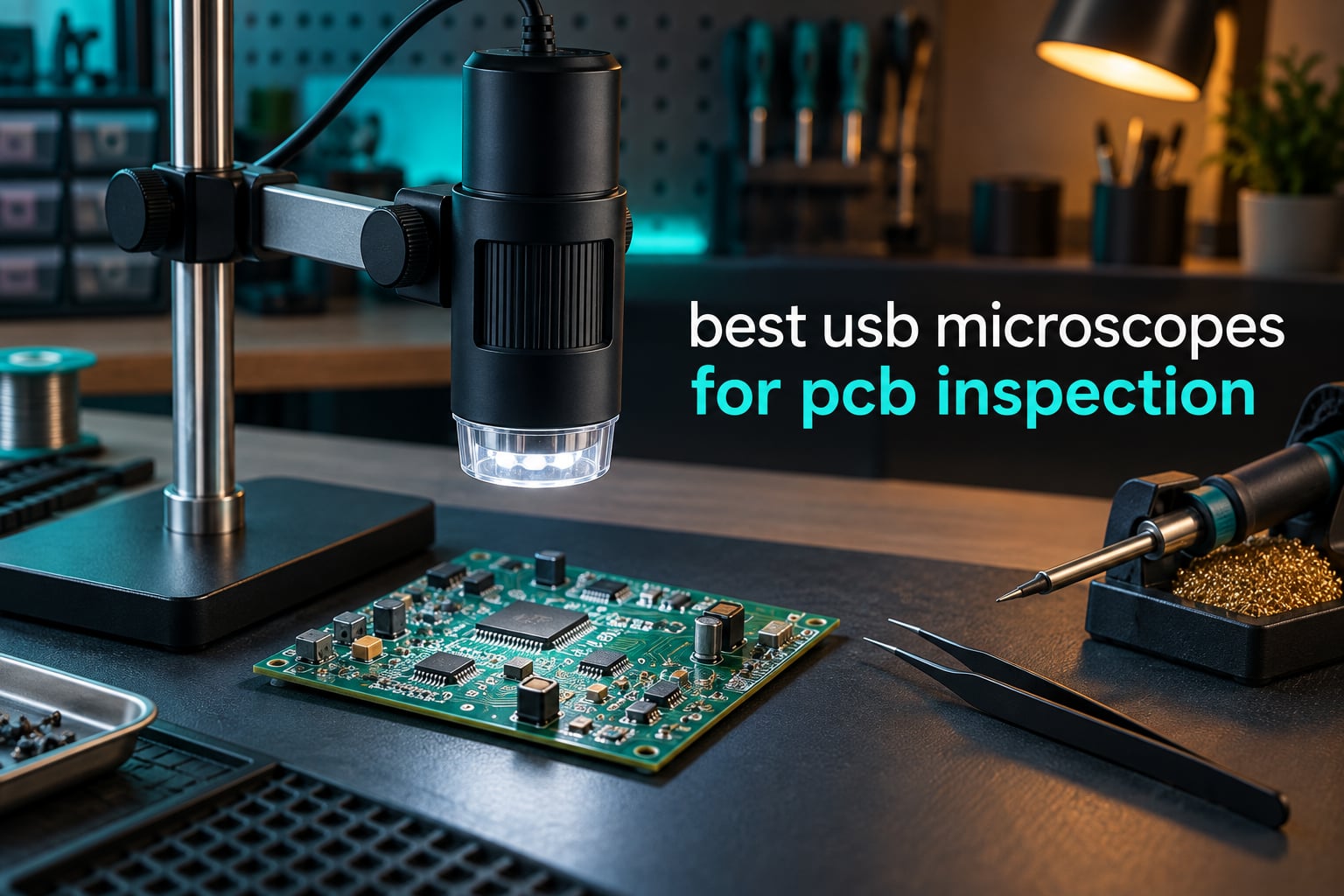
A solder bridge between two pads is roughly the width of a human hair, and a cold joint on a QFN package is a shading problem rather than a shape problem. Neither shows up on a bench magnifier. That is the whole argument for buying a USB microscope for PCB inspection: you put your eye 200 mm from a component instead of 20 mm, and the screen does the focusing for you.
We spent weeks putting ten USB digital microscopes through board-inspection work, and the differences between them turned out to matter less than the spec sheets suggest. Sensor resolution, working distance, stand rigidity and honest magnification matter far more than any headline number printed on the box. Every unit below was judged on the same things: can you hold a joint in focus while your hands are under the lens, and can you still see detail when the board is reflecting your LED ring straight back at you.
If you want the wider picture on scopes of every type, start with our digital microscope roundup. This guide stays narrow: units that stream to a computer or phone, priced and specced for real electronics work, tested through 2026.
Table of Contents
- Top 3 USB Microscope Picks for PCB Inspection (October 2026)
- What a USB Microscope Is and What It Is Not
- Magnification Reality Check: Optical Range vs Digital Zoom
- All 10 USB Microscopes Side by Side in 2026
- 1. Plugable 250x USB Digital Microscope — The Driver-Free Workhorse
- 2. Jiusion 40 to 1000x Endoscope Microscope — The Volume Budget Buy
- 3. Bysameyee 40x to 1000x Microscope — The Complete First-Bench Bundle
- 4. cainda X10 USB Digital Microscope — The Wired Plug-and-Play Kit
- 5. SKYBASIC Wireless Digital Microscope — One Body, Two Ways to Connect
- 6. Jiusion 4K 50-1000x WiFi USB Microscope — Best for Fine-Pitch QFN Work
- 7. Ninyoon Full HD 1080P USB Microscope — The Phone and Desktop Workhorse
- 8. SKYEAR 4.3-Inch LCD Microscope — Standalone With a Built-In Screen
- 9. cainda WiFi Digital Microscope F2 — For a Phone Repair Bench
- 10. TOMLOV DM9 7-Inch Digital Microscope — The Full Inspection Station
- USB vs HDMI vs Stereo: Which One Do You Need?
- What PCB Defects a USB Microscope Can and Cannot Show
- Setting Up a USB Microscope at a Soldering Bench
- Frequently Asked Questions
- Conclusion
Top 3 USB Microscope Picks for PCB Inspection (October 2026)

Plugable 250x USB Digital Microscope
- 2.0MP sensor
- 60x-250x optical range
- LED halo light with dimmer
- Webcam chipset needs no drivers
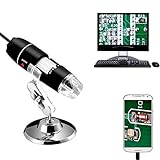
Jiusion 40 to 1000x Endoscope
- 8-LED ring light
- Metal stand in the box
- OTG adapter for Android
- Measurement tool on Windows

Bysameyee 40x to 1000x
- 8 LEDs with diffuser
- Metal stand and ruler
- Carrying case included
- Works on Mac Windows Linux and OTG
All three share the same trait that matters most on a soldering bench: they mount on a stand so the camera holds still while your hands work underneath it. The Plugable wins on driver-free reliability and a 250x true optical ceiling, the Jiusion wins on review volume and included metal stand, and the Bysameyee wins on the accessory bundle for a first bench.
What a USB Microscope Is and What It Is Not
A USB microscope is a small digital camera on an adjustable arm that plugs into a computer, laptop or phone and magnifies circuit boards, solder joints and SMD components on a screen instead of through eyepieces. Light from an LED source hits the board, a lens in the head forms a magnified image, and a CMOS sensor inside the head turns it into video that streams over USB to free viewing software where you focus, zoom and capture stills.
That last part is the difference from a handheld LCD microscope. A USB unit has no screen of its own, which sounds like a weakness and is actually the main advantage: you get a 15-inch or 24-inch view, you can record video of a rework session, and you can drop screenshots straight into a repair log. It also means a computer, tablet or phone has to be within arm’s reach of the bench.
It is not a stereo microscope, either. A stereo scope gives you depth perception through binocular eyepieces, which matters when you are placing a part rather than checking a joint. A USB microscope gives you one flat, enlarged, well-lit image, which matters when you are checking a joint after the iron has cooled. Inspection and assembly are different jobs, and this guide is about inspection.
Magnification Reality Check: Optical Range vs Digital Zoom
Most of these microscopes advertise 1000x or 1200x. Almost none of them deliver 1000x of usable optical detail. The claim is usually the product of an optical lens, a variable working distance and a digital zoom applied in software, and the digital part adds pixels without adding information.
Here is what you actually need. For 0201 and 0402 passives, a solder bridge, and reading component markings, roughly 20x to 30x of real optical magnification on a screen filling a good part of your display is enough. Above about 60x optical, you are limited by sensor pixels rather than glass, and beyond 100x the image is mostly interpolation.
Two symptoms tell you a scope is being pushed past its useful limit. The first is a soft, smeared image where edges have halos, which is digital zoom at work. The second is a shallow focus band where only a sliver of the board is sharp, so you are constantly refocusing while the board sits at a fixed height.
For that reason, the Plugable with its stated 250x optical maximum and 2.0 megapixel sensor produces more usable board detail than several units claiming 1000x, and reviewers of the cheaper scopes repeatedly name the overstated claim as their main complaint. Judge every scope on sensor resolution, working distance and focus control, and treat the magnification number as advertising.
All 10 USB Microscopes Side by Side in 2026
| Product | Key Specs | Pricing |
|---|---|---|
| Plugable 250x USB Digital Microscope |
|
Check Latest Price |
| Jiusion 40 to 1000x |
|
Check Latest Price |
| Bysameyee 40x to 1000x |
|
Check Latest Price |
 cainda X10 USB Microscope cainda X10 USB Microscope |
|
Check Latest Price |
 SKYBASIC Wireless Digital Microscope SKYBASIC Wireless Digital Microscope |
|
Check Latest Price |
 Jiusion 4K 50-1000x WiFi USB Jiusion 4K 50-1000x WiFi USB |
|
Check Latest Price |
 Ninyoon Full HD 1080P Ninyoon Full HD 1080P |
|
Check Latest Price |
 SKYEAR 4.3-inch LCD Microscope SKYEAR 4.3-inch LCD Microscope |
|
Check Latest Price |
 cainda WiFi Microscope F2 cainda WiFi Microscope F2 |
|
Check Latest Price |
 TOMLOV DM9 7-inch Microscope TOMLOV DM9 7-inch Microscope |
|
Check Latest Price |
Read the table with the caveat from the magnification section in mind. Where a row says 1000x, check whether the sensor and focus hardware support useful detail at that level, because in this group the 1000x claim appears on units with very different image pipelines.
1. Plugable 250x USB Digital Microscope — The Driver-Free Workhorse
Plugable USB Digital Microscope 250x, 2MP Micro Camera, Flexible Arm Stand
2.0MP sensor
60x-250x optical
LED halo at 7000K
2 year warranty
- Runs as a plug-and-play webcam with no drivers
- Works on Mac Windows Linux and ChromeOS
- Flexible arm stand with observation pad
- LED halo light with brightness control
- 250x ceiling is low for deep board-level work
- Focus is manual with no motorised or auto focus
- Images need patience to bring into sharp focus
The Plugable 250x is the unit we kept reaching for because it never fights the bench. It enumerates as an ordinary webcam, which means the free viewing software on your machine sees it without a driver, and you can pull up an image in seconds rather than negotiating with vendor software.
On a board it behaves predictably. The achromatic objective tops out at 250x, which is honest, and the LED halo light at 7000K with a brightness control lets you turn illumination down when a solder fillet starts flaring. The flexible arm and the supplied observation pad let you alternate between a fixed overhead view and handheld use without re-balancing anything.
Its body is small at 3.5 inches long and 2.9 ounces, so it moves out of the way easily when you want direct light for a different kind of check. The 45-degree angle of view suits flat boards, and the 2 year limited parts and labor warranty is among the longest offered in this group.
What the Plugable does well at the bench
Two things stand out. First, compatibility: it lists MacBook Pro and Air, Windows 10 and later, ChromeOS 100 and later, plus the usual laptop makers, so it works on whatever machine you already own.
Second, the halo light is close to coaxial, so shadows from your own hand fall outside the frame instead of across the joint. For checking whether a reflowed pad wetted properly, that is the difference between a usable image and a guess.
Where the Plugable falls short
The 250x ceiling is the honest limitation. It is comfortable on through-hole work, connectors and mid-size SMD, but if your work is 0201 parts or dense QFN pin rows, you will want more headroom than this gives you.
Focus is entirely manual and by hand, so you either adjust the arm or move the body. Reviewers also report that images can sit slightly out of focus if you do not take the extra second, which matters most in time-lapse or unattended capture setups.
As an Amazon Associate we earn from qualifying purchases, at no additional cost to you. CERTAIN CONTENT THAT APPEARS ON THIS SITE COMES FROM AMAZON. THIS CONTENT IS PROVIDED 'AS IS' AND IS SUBJECT TO CHANGE OR REMOVAL AT ANY TIME.
2. Jiusion 40 to 1000x Endoscope Microscope — The Volume Budget Buy
Jiusion 40 to 1000x Magnification Endoscope, 8 LED USB 2.0 Digital Microscope, Mini Camera with OTG Adapter Metal Stand, Compatible with Mac Windows 7 8 10 11 Android Linux Chrome Not for iPhone/iPad
8-LED ring light
Two control knobs
Metal stand and OTG
Variable 40x-1000x claim
- Largest review base in this group at more than 20k
- Metal stand and OTG adapter in the box
- Two knobs for focus and brightness
- Measurement function in the Windows software
- Dial is a focus ring rather than true continuous zoom
- No iPhone or iPad support
- Bundled app draws complaints about permissions
- Handheld focusing is fiddly at close range
When 20k-plus buyers have left reviews on one budget microscope, that is usually a signal about the shape of the market rather than the quality ceiling. The Jiusion 1000x is the volume option here, and for anyone setting up a first bench on a tight budget it delivers a usable magnified image for board viewing, coins and school projects.
Physically it is a small endoscope-style body with an 8-LED ring, one knob for focus and one for brightness, and a 120-degree field of view. The metal stand included in the box is the part reviewers mention most often, and it is the part that makes the unit workable rather than handheld-only.
On software, the Windows package handles screenshots, video recording and a measurement function for checking part dimensions. Android phones work through the included OTG adapter. Compatibility is listed for Windows, Linux, Mac and ChromeOS, with iPhone and iPad explicitly excluded, so check your phone before you buy if mobile is part of your plan.
Why the Jiusion 1000x is still worth considering in 2026
The review volume means parts and accessories stay available and the community around it is large, which matters when you are learning. The metal stand, the OTG adapter and the measurement tool together cover most of what a beginner needs to inspect a board without extra purchases.
The brightness knob is genuinely useful on reflective boards. Solder and ENIG finishes throw light straight back, and being able to dial the ring down is the difference between seeing a void and seeing glare.
Where the 1000x claim falls apart
The stated 40x to 1000x range is not continuous optical zoom. The dial is a focus control, so as you turn it the working distance and the effective magnification change together, and you cannot hold a fixed field of view while refocusing.
The bundled companion app is the other weak point. Buyers report permission prompts and outdated dependencies, and the iOS gap rules out phones and tablets from Apple. For photo documentation, established third-party viewers are the safer route.
As an Amazon Associate we earn from qualifying purchases, at no additional cost to you. CERTAIN CONTENT THAT APPEARS ON THIS SITE COMES FROM AMAZON. THIS CONTENT IS PROVIDED 'AS IS' AND IS SUBJECT TO CHANGE OR REMOVAL AT ANY TIME.
3. Bysameyee 40x to 1000x Microscope — The Complete First-Bench Bundle
USB Digital Microscope 40X to 1000X, 8 LED Magnification Endoscope Camera with Carrying Case & Metal Stand, Compatible for Android Windows 7 8 10 11 Linux Mac (Not for iPhone/iPad)
8 LEDs with dimmer
Diffuser included
Metal stand and ruler
OTG and PC support
- One of the most complete accessory bundles in the group
- LED diffuser softens glare on shiny boards
- Works on Mac Windows Linux and OTG Android
- Carrying case protects the body in a crowded drawer
- Windows-only measurement software
- No iPhone or iPad support
- Marketing magnification range rather than true optical zoom
- Image is adequate rather than sharp at high power
The Bysameyee exists to solve a packaging problem. Open the box and you have the microscope, a metal stand, a ruler, an OTG adapter, a driver and a carrying case, which is everything a first workbench needs without a second order. The enclosure is metal rather than the plastic shells used on some cheaper kits.
Light comes from 8 LEDs with a dimming knob, and a diffuser is included, which is a small detail that matters on a board. Diffused light spreads the highlight across a solder fillet instead of leaving a hot specular dot in the middle of your view.
Screen capture and video recording run through the bundled software, and the unit is listed for laptops, desktops and OTG-capable Android phones. Again, no iPhone or iPad support, and the measurement function only runs on Windows, so if you are on a Mac the ruler accessory becomes your measurement tool instead.
What the Bysameyee is good for
It handles the inspection tasks a beginner actually starts with: checking through-hole joints, confirming a header pin is soldered square, and confirming that an SMD part landed on its pads. The metal stand holds position, so you can inspect without holding the body in one hand and a board in the other.
It also doubles as a general inspection tool for coins, hair, fabric and school projects, which stretches the cost across more than one hobby. If your electronics interest is still forming, that flexibility is worth as much as the board performance.
Where it stops being enough
Reviewers are consistent about one thing: the image is adequate rather than sharp once you push toward the top of the range. Fine board work, where you are looking for a hairline crack inside a pad, is where that soft image shows up.
The 40x to 1000x headline is a marketing range, so treat the effective magnification as much lower. For classroom and first-project work this is fine. For production rework you would be reaching for limits the optics cannot support.
As an Amazon Associate we earn from qualifying purchases, at no additional cost to you. CERTAIN CONTENT THAT APPEARS ON THIS SITE COMES FROM AMAZON. THIS CONTENT IS PROVIDED 'AS IS' AND IS SUBJECT TO CHANGE OR REMOVAL AT ANY TIME.
4. cainda X10 USB Digital Microscope — The Wired Plug-and-Play Kit
Cainda USB Digital Microscope Compatible with Android Windows Linux Mac
Wired USB up to 1000x claimed
Screenshot and video
Metal stand and bag
2 year warranty
- Plug-and-play with no driver on Windows Mac and Linux
- Includes stand ruler OTG adapter and carrying bag
- 2 year manufacturer warranty
- Removable transparent lens cover
- Protective lens cover must come off or nothing will focus
- Wired only with no wireless streaming
- Not compatible with iPhone or iPad
- Resolution is low against the 1000x claim
The cainda X10 is the simplest possible arrangement: one USB cable to a computer, and an image. It is listed for Windows, Mac, Linux and OTG-enabled Android, needs no drivers, and ships with a metal stand, an OTG adapter, a ruler, a driver and a carrying bag. The 2 year manufacturer warranty is longer than most units in this price bracket offer.
One setup detail catches people out and is worth repeating from the reviews: the transparent protective lens cover has to come off. Leave it in place and the scope will not focus, and the image looks foggy, which reads as a defective unit when it is not.
The stand is steady enough for hands-free inspection of boards, coins and cards, and the body dimensions of 7.48 by 4.72 by 0.99 inches with a 0.27 kg weight give it enough mass not to skate across the bench. Screenshot and video recording are supported from the bundled viewer.
Where the cainda X10 earns its place
It is a good travel microscope. A carrying bag plus a wired-only design means fewer failure points in a tool bag than a WiFi unit that needs an app and a network, and there is no pairing step between a bench change and a working image.
For documentation work, screenshot and video capture cover the basics. When you are tracking a defect across a repair session, being able to grab a frame without a menu dive is genuinely useful.
What to watch out for
Resolution is the limitation. Buyers note the image is soft relative to the 1000x claim, so fine detail on a dense board will be hard to resolve and the dial functions as a focus ring rather than true zoom.
It also has no wireless path, so phone use requires an OTG cable and a device that supports it. A minority of buyers raise privacy and software concerns about the bundled app and prefer established third-party viewers instead.
As an Amazon Associate we earn from qualifying purchases, at no additional cost to you. CERTAIN CONTENT THAT APPEARS ON THIS SITE COMES FROM AMAZON. THIS CONTENT IS PROVIDED 'AS IS' AND IS SUBJECT TO CHANGE OR REMOVAL AT ANY TIME.
5. SKYBASIC Wireless Digital Microscope — One Body, Two Ways to Connect
Wireless Digital Microscope, Skybasic 50X-1000X Magnification WiFi Portable Handheld Microscopes with Adjustable Stand HD USB Microscope Camera Compatible with iPhone Android iPad Windows Mac Computer
2MP HD CMOS sensor
1080P to phone
8 adjustable LEDs
3-60 mm focal range
- WiFi to phone and tablet plus USB for PC and Mac
- One-button photo and video capture
- 8 adjustable LEDs give even close illumination
- Includes adjustable bracket base cable and one-year replacement
- No independent focus control so you move the body to refocus
- Enlarge and reduce buttons can be unresponsive
- Ball-and-pivot stand is wobbly and can slip
- Fixed-focus design is not aimed at professional work
It is one of the few units here that runs the same camera body two ways: WiFi to a phone or tablet, or a USB cable to a Windows or Mac computer. That dual path is what makes it the value pick, because you are not buying a second device when you move between a bench and a field inspection.
The sensor is 2 megapixel, streaming 1080P to a phone and 720P over PC USB, with a 3 to 60 mm optimal focal length range. Eight adjustable LEDs light the subject, and capture is a single button on the body, which is faster than a keyboard shortcut once your hands are under the lens.
It ranks near the top of the Lab Handheld Digital Microscopes category with more than 9k reviews, and the recurring praise is for quick setup and clear phone images. For inspecting a connector, a coin or a plant trichome from a phone held in one hand, it does the job without ceremony.
Why the dual connection matters for PCB work
PC output at 720P is a large, steady image with no network dependency, which is what you want for a long soldering session. The 720P ceiling is lower than the phone path, so if you are judging fine detail, check the phone side rather than assuming the two match.
The 45-degree angle of view and the adjustable bracket make it easy to frame a small board, and the one-year replacement service covers the kind of early failure that cheap electronics usually produce.
What holds it back at a soldering bench
There is no independent focus control. You move the body up and down to refocus, and at board-level magnification that is a two-handed operation, which is exactly what you cannot do while holding an iron.
Reviewers also raise the ball-and-pivot stand as wobbly, with a tightening mechanism that can slip under pressure, plus occasional dead capture buttons and iPad connection problems. It is an inspection tool, not a working tool.
As an Amazon Associate we earn from qualifying purchases, at no additional cost to you. CERTAIN CONTENT THAT APPEARS ON THIS SITE COMES FROM AMAZON. THIS CONTENT IS PROVIDED 'AS IS' AND IS SUBJECT TO CHANGE OR REMOVAL AT ANY TIME.
6. Jiusion 4K 50-1000x WiFi USB Microscope — Best for Fine-Pitch QFN Work
Jiusion 4K 50-1000x WiFi USB Digital Handheld Microscope with Metal Stand
3840x2160 to phone
Geared metal stand
Dual focus and brightness knobs
Lifetime warranty
- Geared metal stand is far steadier than typical plastic stands
- Clear enough to hold two sides of a QFN64 in focus at once
- Wireless to phone and wired to PC without lag
- Works with iPhone iPad Android Mac Windows Linux and Chrome OS
- Shallow focus area needs careful adjustment
- Some builds limit brightness to the wheel setting
- 4K claim relies on interpolation and adds noise
- Phone zoom buttons do not work on PC
Among the budget units, the Jiusion 4K is the one that behaves most like a piece of bench equipment. The stand is metal with geared height adjustment, so the camera moves smoothly and stays where you put it, and electronics reviewers single it out for holding two sides of a QFN64 package in focus at the same time. That is a real test of depth of field and this unit passes it.
Video streams wirelessly to a phone at 3840×2160 and over a cable to a PC, with two knobs for focus and brightness and 8 built-in LEDs. The compatibility list covers iPhone, iPad, Android, Mac, Windows, Linux and Chrome OS, so phone-first work does not force a compromise.
It is the only unit here carrying a lifetime warranty, with the box containing the scope, stand, USB cable and instructions. The 120-degree angle of view suits larger subjects, and the 4K path is the one to use when you want maximum detail on a phone or tablet held close to the work.
Why fine-pitch packages suit this unit
Inspecting a QFN or QFP means reading a pin row where a bridge hides between two leads and a lifted pad shows as a shadow. The geared stand plus the higher depth of field keep the whole row usable without constant refocusing, and the dual knobs let you set focus and brightness independently.
That combination is why it also turns up in stylus and blade-edge inspection use. A stable, deep, well-lit image is what those tasks have in common, and it is also what fine board work needs.
What the marketing overstates
The 50x to 1000x range and the 4K label both need tempering. The 4K output relies on interpolation, and some users see added noise rather than added detail, so the honest gain over a 1080P sensor is smaller than the number suggests.
Focus depth is shallow, so precision work needs careful adjustment, and there is no auto focus. Digital zoom buttons for 1.2x through 2.0x work on phones and tablets only, and the companion app is dated.
As an Amazon Associate we earn from qualifying purchases, at no additional cost to you. CERTAIN CONTENT THAT APPEARS ON THIS SITE COMES FROM AMAZON. THIS CONTENT IS PROVIDED 'AS IS' AND IS SUBJECT TO CHANGE OR REMOVAL AT ANY TIME.
7. Ninyoon Full HD 1080P USB Microscope — The Phone and Desktop Workhorse
Ninyoon Full HD 1080P USB Digital Microscope Camera for iPhone iPad Android PC, 50-1000X High Definition Portable Handheld Microscope with Light for Coin Plants Trichome Soldering Skin Scalp
Full HD 1080P module
Driver-free on iOS and PC
Focus wheel
Adjustable LEDs
- Sharp high-contrast images with strong fine detail
- Driver-free on iPhone iPad Android Windows Mac Linux and Chrome
- Focus wheel gives fine control and LEDs are adjustable
- Widely used for PCB and micro-crack detection
- The 50-1000x range is a focus wheel with two usable steps
- Zoom buttons are digital only
- Android WiFi app is dated and can crash while zooming
- Supplied USB cable is reported as low quality
The Ninyoon solves the compatibility problem that trips up most scopes in this class. It uses native webcam protocols, so it is driver-free on Windows, Mac, Linux and Chrome, and it works with iPhone and iPad as well, which is rarer than it should be. On Oppo, Vivo, OnePlus, iQOO and Realme phones you need to enable OTG first.
Image quality is where it separates from the cheapest units. The 1080P module with noise reduction produces sharp, high-contrast frames, and electronics users report using it for PCB inspection, for micro-cracks in traces and for reading component markings, which is a harder brief than generic inspection.
The body weighs about 0.2 kg and comes with an anti-slip silicone base and a removable clear locating spacer, which helps you hold a repeatable height while inspecting the same area across a session. Image transfer is local over USB with no cloud upload, a reasonable choice when board content is not something you want leaving the bench.
Where this scope reads a board well
Contrast is the practical advantage. Solder joints differ from copper pads mainly in reflectance, and a low-contrast image hides the boundary between the two. A 1080P sensor with noise reduction keeps that boundary visible at the working distances you use for 0402 parts.
Because it runs on a phone as readily as a laptop, it suits a repair workflow where you move between a bench and a customer-facing inspection, and the operating range of -10C to 45C covers ordinary workshop conditions.
What reviewers complain about
The 50-1000x figure is a focus wheel with only two usable magnification steps, and the zoom buttons are digital only, so they scale the image without adding optical detail. Treating those numbers as magnification is how people end up disappointed.
Other recurring notes: the bundled WiFi app is dated and the Android version can crash while zooming, the supplied USB cable is reported as low quality, and the sensor inside the lens housing collects dust and oil and needs periodic swabbing.
As an Amazon Associate we earn from qualifying purchases, at no additional cost to you. CERTAIN CONTENT THAT APPEARS ON THIS SITE COMES FROM AMAZON. THIS CONTENT IS PROVIDED 'AS IS' AND IS SUBJECT TO CHANGE OR REMOVAL AT ANY TIME.
8. SKYEAR 4.3-Inch LCD Microscope — Standalone With a Built-In Screen
4.3″ Digital Microscope for Adults, SKYEAR Coin Microscope 1000X Magnification with 8 Ajustable LED Fill Lights, USB Microscope for Windows/MacOS, Coin Collection Supplies-Black
4.3-inch HD LCD
Fine and coarse focus
1080P capture
Eight dimmable fill lights
- Built-in screen means no external monitor or phone
- Tied for the highest average rating in this roundup
- 8 dimmable fill lights let you tune out shadows and glare
- Metal stand included for long inspection sessions
- SD card sold separately and required for video
- On-screen only with no phone or PC streaming
- Actual zoom varies with distance and screen size
- Small screen limits working distance on large boards
The SKYEAR skips the computer entirely. A 4.3-inch high-definition LCD sits on the back of the body, so the microscope is a self-contained tool that works the moment it is plugged in, and fine and coarse focus controls give you a coarser and finer adjustment than the small dial on a USB body offers.
Its 4.4 stars are tied for the highest average in this group, with a strong share of five-star reviews, and reviewers consistently point to the crisp real-time display and the adjustable fill lighting. For a bench where the computer is already occupied by a CAD package or a repair database, that independence is worth real money.
Capture is 1080P for photos and video, with internal storage for roughly 100 photos and an SD card slot for video. It connects over USB to Windows or macOS with PC software when you want a bigger view, and the 2 year warranty is among the longer ones here.
Why the eight fill lights matter
Eight dimmable fill lights let you tune brightness to the surface. A matte solder mask needs less light than a mirror-bright ENIG pad, and the difference between a usable and an unusable frame on reflective boards is almost always how far down you turned the brightness.
Because the screen is angled toward you rather than mounted overhead, you can inspect a board held at an angle, which is how a lot of through-hole and connector work is actually done. The convertible handheld and desktop design with the included metal stand covers both.
What to plan around
An SD card is sold separately and is required for video, so budget for one before a documentation session. A 4.3-inch screen is small, so if your workflow depends on a large view for a big board, the PC software is the better path and should be tested early.
Reviewers also note that actual zoom varies with viewing distance and screen size rather than the stated 1000x, which is the same digital-versus-optical story as the cheaper scopes, just in a better package.
As an Amazon Associate we earn from qualifying purchases, at no additional cost to you. CERTAIN CONTENT THAT APPEARS ON THIS SITE COMES FROM AMAZON. THIS CONTENT IS PROVIDED 'AS IS' AND IS SUBJECT TO CHANGE OR REMOVAL AT ANY TIME.
9. cainda WiFi Digital Microscope F2 — For a Phone Repair Bench
Cainda WiFi Digital Microscope for iPhone Android Phone and Mac Windows PC
1920x1080P video
2MP stills
Aluminum alloy stand
800mAh battery
- Aluminum alloy stand with a heavy non-slip base
- 1920P video to phone and lag-free USB to a PC
- 8 adjustable LEDs with soft brightness
- Fast simple setup on phones PCs and Chromebooks
- PC output drops well below 2MP compared with the phone app
- Built-in LEDs cause glare on reflective boards
- WiFi mode lags so video capture is impractical
- Some units stopped connecting after a couple of years
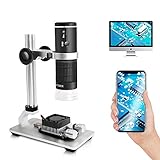
On the eevblog forums the recurring argument is that a stereo scope wins for detail work while a large-screen magnifier wins for general inspection. The cainda F2 is built for the second job at phone-repair speeds. Electronics users favour it for solder-joint and PCB inspection over USB to a PC, where the image is noticeably larger and free of lag.
The stand is the standout: an aluminum alloy bracket on a heavy, non-slip base, with a body weight of 535 g. That is enough mass that the camera does not drift when you touch a board underneath it, and 8 adjustable LEDs with soft brightness keep the illumination from being harsh on a shielded board.
Connection is flexible: WiFi to iPhone, iPad and Android, or a USB cable to a Mac, Windows or Linux PC. The 800mAh built-in battery makes it genuinely portable for a mobile repair setup, and 1920x1080P video with 2MP stills comes from an upgraded lens and smart chip.
Where the F2 earns its keep
Setup speed. Reviewers describe fast, simple configuration on phones, PCs and Chromebooks, and customer service is mentioned favourably alongside the hardware. On a bench where the microscope is used in short bursts between other jobs, that friction matters.
The soft LED brightness is a deliberate choice, and for solder-joint inspection the even illumination helps you see the shape of a fillet rather than a blown-out highlight. A carrying bag is included for moving between stations.
What to know before you rely on it
The two output paths are not equal. Over PC the connection drops well under 2MP compared with the phone app, and over WiFi there is enough data lag to make video capture impractical, so use USB for anything you plan to record.
Glare on reflective surfaces is the other recurring note, and some owners report the camera stopped connecting after a couple of years. The iOS app is dated and can fail to find the camera WiFi, which is a real cost if your bench is phone-first.
As an Amazon Associate we earn from qualifying purchases, at no additional cost to you. CERTAIN CONTENT THAT APPEARS ON THIS SITE COMES FROM AMAZON. THIS CONTENT IS PROVIDED 'AS IS' AND IS SUBJECT TO CHANGE OR REMOVAL AT ANY TIME.
10. TOMLOV DM9 7-Inch Digital Microscope — The Full Inspection Station
TOMLOV DM9 7″ Digital Microscope: 1080P 1200X Coin Microscope Magnifier, 12MP Ultra-Precise Focusing LCD Soldering Microscopes for Adults, PC View, 16GB
7-inch HD LCD
12MP stills and 1080P video
8 LEDs plus goosenecks
8.5 inch aluminum stand
- Large 7-inch screen needs no phone or PC
- Solid metal base and 8.5 inch stand stay steady under light work
- 8 built-in LEDs plus two gooseneck lights cut glare
- 12MP stills with 16GB card included for board documentation
- Bulky desktop footprint on a crowded bench
- Magnification changes by moving the stand rather than a zoom control
- SD card required for video beyond internal storage
- 1 year warranty is the shortest offered here
The TOMLOV DM9 is the most complete inspection setup here, and it is the one reviewers most often point to for actual PCB and solder work. A 7-inch LCD gives a view big enough to keep both hands in the frame, and the aluminum alloy stand with a heat-resistant metal base stays rigid at 8.5 inches, which is tall enough to get a soldering iron and a hot-air nozzle underneath the lens.
Lighting is where it goes beyond a single LED ring. There are 8 built-in LEDs plus two flexible gooseneck lights you can position by hand, and that flexibility is exactly what a shiny board needs. You can angle a gooseneck across the surface to kill the specular reflection off a solder fillet, or fill from the side to separate a lifted pad from its solder mask.
Capture is 12MP stills and 1080P video, with a 16GB microSD card in the box and USB output to Windows or Mac for a larger real-time view. The aluminium body and 178-degree angle of view suit wide subjects, and the 1 year warranty is the shortest in this group, which is worth noting on a unit of this size.
Why the gooseneck lights are the real feature
Single-ring illumination fails on reflective surfaces because the light and the camera share an axis, so the glare returns to the lens. Two positionable goosenecks let you light from an angle where the reflection is thrown off axis, and electronics reviewers repeatedly credit this combination with being able to see what a ring-lit scope cannot.
The stand height is the other quiet advantage. At 8.5 inches with a heat-resistant base, you can work under the lens with a soldering iron, tweezers and a nozzle at the same time, which is the working-distance requirement most compact scopes fail.
What the footprint and the moving parts cost you
It claims real estate. A desktop footprint of 8.19 by 3.23 by 9.45 inches means it lives on the bench, so plan the layout before it arrives. There is also no zoom control: magnification changes by raising and lowering the stand, which is slower than a lens ring when you are checking a dense area.
Video storage beyond the internal capacity needs an SD card, and the 1 year warranty is the shortest offered in this group. If you need a compact unit that travels in a bag, this is the wrong shape entirely.
As an Amazon Associate we earn from qualifying purchases, at no additional cost to you. CERTAIN CONTENT THAT APPEARS ON THIS SITE COMES FROM AMAZON. THIS CONTENT IS PROVIDED 'AS IS' AND IS SUBJECT TO CHANGE OR REMOVAL AT ANY TIME.
USB vs HDMI vs Stereo: Which One Do You Need?
The decision rule is short. Buy a USB microscope if you mostly inspect finished joints and want photo and video documentation. Buy an HDMI microscope if you solder often and the USB lag frustrates you, since HDMI removes the encode step and drops straight into a monitor with no computer in the loop. Buy a stereo scope if you spend your day placing parts rather than checking them, because binocular vision and true optical magnification beat any digital feed for assembly work.
That third option is where our trinocular microscope guide fits in. A trinocular head adds a camera port to a stereo body, which gives you both working eyepieces and a recordable image, at a cost that a stack of USB scopes never approaches.
On latency specifically, expect a small but real delay on a USB feed. That delay is invisible when you are inspecting a cooled board and annoying when you are watching a joint form, which is the honest reason hot-air reworkers drift toward HDMI or stereo. A built-in-screen unit such as the SKYEAR or TOMLOV DM9 sits in between: no network or encode path to a phone, and a screen large enough to watch the joint.
If you only work on through-hole projects, a bright bench magnifier with a large ring light will serve you better than any of these, at a fraction of the money. USB microscopes earn their keep on dense boards.
What PCB Defects a USB Microscope Can and Cannot Show
These scopes are good at flat, surface-level defects. A solder bridge between adjacent pads is obvious, because two pads that should be dark are joined by bright metal. A cold or dry joint shows as a dull, granular meniscus instead of a smooth concave fillet, and a lifted pad shows as a shadow with a visible edge under raking light.
For traces, they handle micro-cracks and hairline fractures on the board surface, and they let you read component markings and confirm orientation before power-on. Continuity-type problems are outside their remit: a broken trace buried under solder mask, a via failure, or an internal layer break will not show up no matter what magnification you use.
Two habits sharpen the results. First, change the light angle rather than the magnification when something looks wrong, because a shadow that resolves under a raking gooseneck is a lifted pad and a shadow that stays put is debris. Second, clean the objective. Flux residue and solder splatter fog the lens in a way that looks like a focus problem, and swabbing the sensor window is a five-minute fix that saves an afternoon.
Setting Up a USB Microscope at a Soldering Bench
Give it a fixed position first. Clamp or park the stand so the head is directly over the work area, then move the board, not the camera. Every re-aim of a loose stand is a re-focus, and re-focusing mid-solder is how bridges happen.
Set the working height before you heat anything. The goal is clearance for a soldering iron, tweezers and a hot-air nozzle at the same time, which is the single biggest reason to pick a taller stand over a compact handheld body. Confirm you can get all three under the lens before you trust the setup.
Support the board itself with a PCB holder rather than balancing it on your fingers. A board that moves when you touch a pad produces a false reading, and worse, a bent pad. This is where our starter bench guide touches on the supporting equipment around the microscope.
Fix the lighting before you start. Set brightness low enough to kill glare on the solder mask, then raise it only until the image is clean. Add a fume extractor alongside rather than under the lens, since a fan blowing across the board moves your heat and your airflow at the same time.
Last, run a recording test before a real job. Capture a short clip, check the frame rate feels responsive to your hand, and confirm where files are saved. Discovering a dropped frame or a missing storage card mid-repair is the worst possible time.
Frequently Asked Questions
What type of microscope is best for soldering electronics?
A stereo microscope is best for soldering because it gives you depth perception through eyepieces while your hands work under the lens. A USB microscope is best for inspecting joints after they cool, documenting boards with photos and video, and working on a tight budget. Most benches end up using both: a scope to work under and a USB microscope to check and record.
What digital microscope is best for PCB repairing?
For PCB repair, the two things that matter are working distance and stand rigidity, not the printed magnification number. The TOMLOV DM9 leads for a fixed soldering bench with its 7-inch screen, aluminum stand and two positionable gooseneck lights. The Plugable 250x is the pick if you want zero driver hassle on any computer, and the Jiusion 4K is the pick for fine-pitch QFN packages.
What magnification is good for soldering?
Around 20x to 30x of real optical magnification is the useful range for soldering and PCB work. That is enough to inspect 0201 and 0402 parts, spot solder bridges and read component markings. Claims of 1000x or 1200x are usually a focus control plus digital zoom, and beyond roughly 60x optical you are limited by sensor pixels rather than by glass quality.
Can a USB microscope take photos?
Yes. All ten units reviewed here support screenshot or photo capture, and most also record video through bundled software or a phone app. A wired unit such as the Plugable 250x or cainda X10 captures directly to your computer, which makes documentation easy to file. Standalone screen models like the SKYEAR store about 100 photos internally and need a separately purchased SD card for video.
Which type of microscope is better?
USB wins on documentation, portability and price, and works with any computer. HDMI wins on latency, which matters while a joint is still hot, and needs only a monitor. Stereo wins on depth perception and true optical magnification, which matters while you are placing parts rather than checking them. Buy USB for inspection, HDMI for live soldering observation, stereo for assembly work.
What is the best microscope for the money?
The Plugable 250x is our pick for value because it runs as a plain webcam with no drivers on Mac, Windows, Linux and ChromeOS, has an honest 250x optical range and a 2 year warranty. If your budget is tighter, the Jiusion 40 to 1000x and the Bysameyee both include a metal stand and rank highest on review volume, though their 1000x claims are mostly digital.
Two related questions come up often on our microscope guides for younger users and our compound microscope roundup, which covers the opposite end of the range for slides and specimens rather than boards.
Conclusion
After putting ten USB microscopes through board work, the Plugable 250x is the one we recommend most often, because a driver-free webcam connection and an honest 250x optical range remove more friction than any extra zoom would add. Pick it if you want something that works on whatever computer is already on the bench.
Move up to the Jiusion 4K for fine-pitch QFN packages, the TOMLOV DM9 if you want a full station with a large screen and positionable lighting, or the SKYEAR if you would rather work with no computer in the loop at all. Whatever you choose for inspection, keep a stereo scope on the list for assembly work in 2026, and ignore the magnification number on the box.