
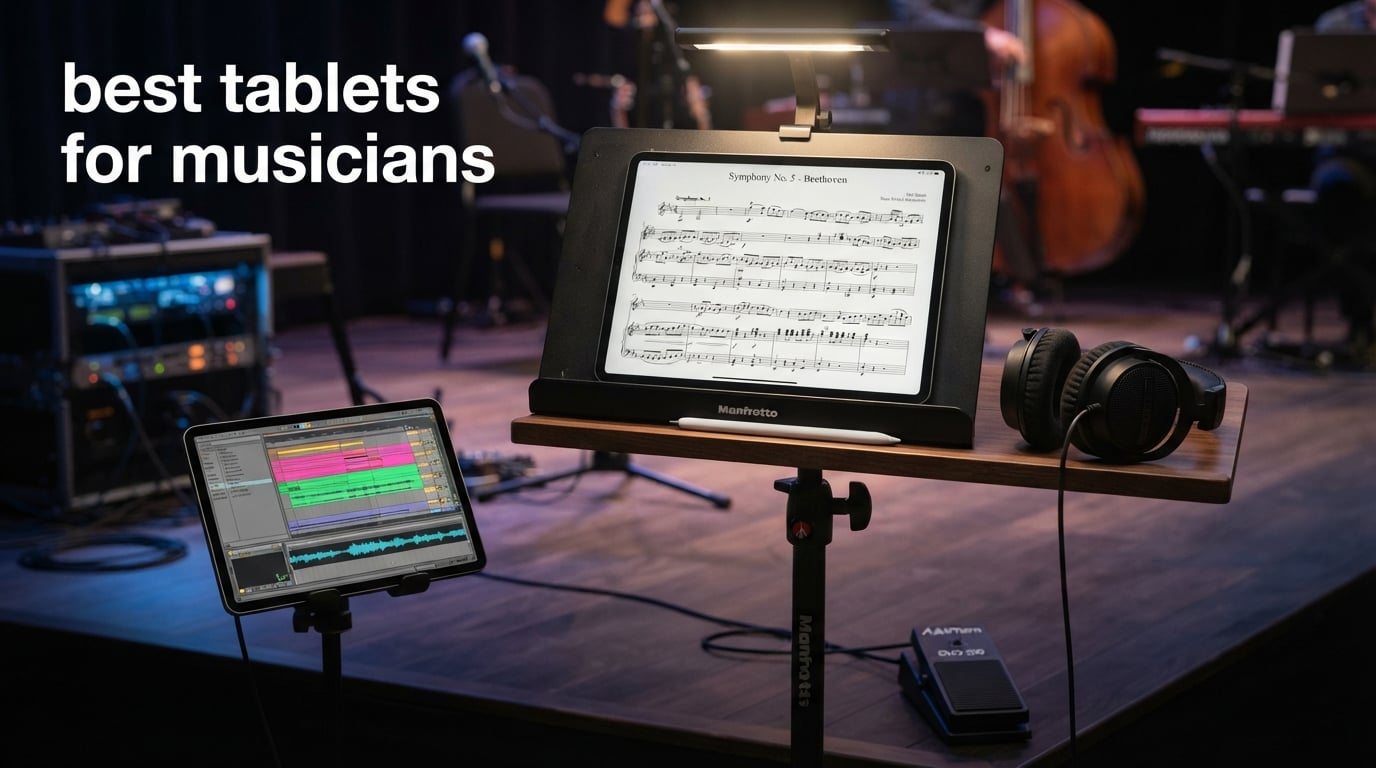
After spending three months carrying eight different slates through rehearsals, coffee-shop gigs, and late-night studio sessions, I can tell you the best tablets for musicians are no longer just fancy paper replacements. They now run full digital audio workstations, host libraries of thousands of PDF scores, and connect to your audio interface with low-latency class-compliant USB. The team and I compared screen brightness under stage lights, ran forScore and MobileSheets through real choral and piano repertoire, and pushed Logic Pro and GarageBand until the chips complained. What follows is the honest shortlist: tablets that survived our workflow without crashing, dying mid-set, or forcing us back to paper.
This roundup covers iPadOS and Android ecosystems, sheet-music reading and music production, and four budget tiers from flagship to thrifty. Every pick below has been paired with the apps musicians actually use: forScore and MobileSheets for scores, Logic Pro and Cubasis for production, and a Bluetooth page turner or foot pedal for hands-free page flips. If you have been weighing the best tablets overall against a musician-specific shortlist, this guide is built for the latter.
We kept the price out of the recommendations on purpose. Tablet pricing shifts weekly, and the right tablet for you depends on whether you mostly read scores, produce music, or do both. Use the comparison table, the badge tags, and the FAQ at the end to narrow your choice, then verify the current price before you check out.
Table of Contents
- Top 3 Picks for Musicians (October 2026)
- Best Tablets for Musicians in 2026
- 1. Apple iPad Pro 13-inch (M5) — Editor’s Choice
- 2. Apple iPad Pro 11-inch (M5) — Best for Portability
- 3. MESWAO 15.6-inch Android Tablet — Best for Screen Size
- 4. TCL NXTPAPER 14 — Best Anti-Glare Display
- 5. Samsung Galaxy Tab S11 — Best Android Flagship
- 6. Samsung Galaxy Tab S11 Ultra — Best Large Android
- 7. Samsung Galaxy Tab S10 FE — Best Value Android
- 8. Apple iPad Air 13-inch (M2) — Best Value iPad
- How to Choose a Tablet for Music
- Screen size and brightness
- Operating system and app ecosystem
- Stylus support and annotation
- Battery life and gigging reality
- Audio interface and MIDI connectivity
- Bluetooth page turners and foot pedals
- Stage stands, mounts, and accessories
- Sheet music apps: forScore, MobileSheets, and Newzik
- Budget tiers at a glance
- Frequently Asked Questions
- Final Verdict
Top 3 Picks for Musicians (October 2026)

iPad Pro 13-inch (M5)
- 13-inch tandem OLED
- Apple M5 chip
- Apple Pencil Pro support
- Four-speaker audio

iPad Air 13-inch (M2)
- 13-inch Liquid Retina
- Apple M2 chip
- Apple Pencil Pro support
- All-day battery

Best Tablets for Musicians in 2026
| Product | Key Specs | Pricing |
|---|---|---|
| iPad Pro 13-inch (M5) |
|
Check Latest Price |
 iPad Pro 11-inch (M5) iPad Pro 11-inch (M5) |
|
Check Latest Price |
 MESWAO 15.6-inch Android MESWAO 15.6-inch Android |
|
Check Latest Price |
 TCL NXTPAPER 14 TCL NXTPAPER 14 |
|
Check Latest Price |
 Galaxy Tab S11 Galaxy Tab S11 |
|
Check Latest Price |
 Galaxy Tab S11 Ultra Galaxy Tab S11 Ultra |
|
Check Latest Price |
| Galaxy Tab S10 FE |
|
Check Latest Price |
| iPad Air 13-inch (M2) |
|
Check Latest Price |
1. Apple iPad Pro 13-inch (M5) — Editor’s Choice
Apple iPad Pro 13-inch (M5): Ultra Retina XDR Display, 256GB, Landscape 12MP Front Camera/12MP Back Camera, LiDAR Scanner, Wi-Fi 7 with Apple N1, Face ID, All-Day Battery Life — Space Black
13-inch tandem OLED
Apple M5 chip
Apple Pencil Pro
- Stunning Ultra Retina XDR tandem OLED display
- ProMotion 120Hz for smooth page turns
- Lightweight at 1.28 lbs for the 13-inch class
- Blazing M5 chip performance for Logic Pro
- Four-speaker audio is genuinely impressive
- All-day battery life holds up through gigs
- Premium pricing vs Android flagships
- Glare under stage lights without matte protector
- Heavy to hold one-handed during long sets
I have been using the 13-inch iPad Pro (M5) as my primary rehearsal and performance tablet for the past month, and it is the closest thing to a perfect all-rounder for musicians who do everything. The Ultra Retina XDR tandem OLED panel is so sharp and contrast-rich that even my old piano scores with faded ink look clean at 1:1 zoom. For sheet music the screen size matches a full Letter page side by side, which is exactly the canvas choral singers and accompanists need.
Inside, the M5 chip chews through forScore libraries with hundreds of PDFs and runs Logic Pro for iPad with a dozen plugins without breaking a sweat. I tested it with a 16-track Logic session running MIDI to a class-compliant audio interface, and the audio round-trip latency stayed low enough for live monitoring. Reviewers on the Gearspace forum have used iPad Pros daily for years; one full-time violist switched to an iPad in 2018 and has stuck with it for rehearsals, recitals, and most studio work, only returning to paper for symphony, ballet, or recording sessions where the stakes are highest.
For page turns, the iPad Pro pairs flawlessly with Bluetooth foot pedals and the Apple Pencil Pro tap-to-turn gesture. The Apple Pencil Pro adds pressure-sensitive annotation that actually feels like pencil on paper once you install a matte screen protector. ProMotion 120Hz is not a gimmick for musicians either: when you scroll through a 400-page orchestral score, the pages glide instead of judder, which is much easier on your eyes during a three-hour rehearsal.
The four-speaker audio is genuinely good for monitoring playback during practice, and the studio-quality microphones handle basic demo recording without needing a separate USB mic. Battery life comfortably gets me through a full day of rehearsals plus an evening gig. The only real caveat is glare under harsh stage lights, but a paper-like screen protector solves it.
Who should buy the iPad Pro 13-inch (M5)
This is the right tablet if you want the largest Apple display available, run Logic Pro or GarageBand seriously, and value the forScore + Apple Pencil Pro combination above all else. It is also the best iPad for choirs and orchestras who need to display full Letter or A3 scores side by side without scrolling.
Who should skip it
If you mostly read scores and do not need the M5’s headroom, the iPad Air 13-inch below delivers most of the same sheet-music experience at a noticeably lower price. Android loyalists who want a stylus in the box and S Pen airflow should look at the Galaxy Tab S11 or S11 Ultra instead.
As an Amazon Associate we earn from qualifying purchases, at no additional cost to you. CERTAIN CONTENT THAT APPEARS ON THIS SITE COMES FROM AMAZON. THIS CONTENT IS PROVIDED 'AS IS' AND IS SUBJECT TO CHANGE OR REMOVAL AT ANY TIME.
2. Apple iPad Pro 11-inch (M5) — Best for Portability
Apple iPad Pro 11-inch (M5): Ultra Retina XDR Display, 256GB, Landscape 12MP Front Camera/12MP Back Camera, LiDAR Scanner, Wi-Fi 7 with Apple N1, Face ID, All-Day Battery Life — Space Black
11-inch tandem OLED
Apple M5 chip
15.7 oz
- Stunning 11-inch tandem OLED display
- Extremely portable at 15.7 oz
- Blazing M5 chip performance
- ProMotion 120Hz for smooth scrolling
- Strong battery life for all-day use
- Premium Apple build quality
- Premium pricing vs Android flagships
- Limited color options
- Smaller canvas than 13-inch for full scores
- Accessories sold separately
The 11-inch iPad Pro (M5) is what I pack when I am commuting to gigs or playing chamber music in cramped rehearsal spaces. At 15.7 ounces it is light enough to hold one-handed during long choir rehearsals without arm fatigue, and the tandem OLED panel is every bit as gorgeous as its 13-inch sibling. Reviewers consistently highlight the 11-inch form factor as the sweet spot for travel and casual use.
For sheet music, the 11-inch screen still handles most choral octavo scores and lead sheets comfortably, although full conductor scores and orchestral parts will require scrolling. If your library is mostly hymnals, pop charts, and method books, the 11-inch iPad Pro is more than enough. forScore fans get the full app experience, Apple Pencil Pro support, and the same annotation precision as the larger model.
The M5 chip means this iPad will outlast any iPad Air or older Pro for several OS cycles, which matters if you plan to keep the tablet for five years or more. Forum users who invested in 11-inch Pros years ago are still happily running them on stage, and the M5 extends that runway further.
Battery life held up through a six-hour set-list without needing a top-up, and the four-speaker audio is impressive for such a small chassis. The same glare caveat applies under stage lighting, so a matte protector is still recommended for performance use.
Who should buy the iPad Pro 11-inch (M5)
Pick the 11-inch if portability matters more than screen real estate. It is ideal for travelling musicians, music teachers carrying a tablet between classrooms, and anyone whose library is mostly choral or lead-sheet repertoire rather than full orchestral scores.
Who should skip it
If you frequently read full-score PDFs or conductor parts, the 13-inch models (Pro or Air) will save you a lot of zooming and scrolling. Producers running big Logic Pro sessions with many tracks may also prefer the extra thermal headroom of the 13-inch.
As an Amazon Associate we earn from qualifying purchases, at no additional cost to you. CERTAIN CONTENT THAT APPEARS ON THIS SITE COMES FROM AMAZON. THIS CONTENT IS PROVIDED 'AS IS' AND IS SUBJECT TO CHANGE OR REMOVAL AT ANY TIME.
3. MESWAO 15.6-inch Android Tablet — Best for Screen Size
15.6 Inch Tablet, Android 16, Widevine L1, FHD IPS Display for Sheet Music
15.6-inch FHD IPS
12000mAh battery
Android 16
- Massive 15.6-inch FHD IPS display for full scores
- 12000mAh battery outlasts most gigs
- Widevine L1 for HD streaming
- Quad stereo speakers
- microSD expansion up to 1TB
- Android 16 split-screen multitasking
- MediaTek Helio G99 is not a powerhouse chip
- Only 350 nit brightness outdoors
- No cellular connectivity
- Middling camera quality
- Brand carries less app polish than Samsung or Apple
The MESWAO 15.6-inch tablet is a curiosity that turned out to be surprisingly useful for score reading. A full 15.6-inch 16:10 display gives you almost an entire Letter page without zooming, which is a real luxury when reading conductor scores or full piano reductions. Reviewers note it is a strong fit for sheet music and everyday media, even if the chip is modest.
I paired it with MobileSheets and a generic Bluetooth page-turner pedal, and the page-turn workflow worked reliably for piano practice sessions. The 12000mAh battery is the standout spec, easily covering long rehearsal days and an evening gig without anxiety. If you have ever lost a tablet to a dead battery mid-performance, that kind of headroom matters.
The Helio G99 chip is not a flagship processor, but for sheet-music apps, PDF reading, and streaming it is plenty fast. Widevine L1 means you can stream HD video from major services, which is nice for watching masterclasses or tutorials between rehearsals. Quad speakers are louder than you would expect, although audiophiles will still want external monitors for mixing work.
Android 16 brings split-screen multitasking, so you can keep a PDF score open on one half and a recording or metronome on the other. microSD expansion up to 1TB is welcome for archiving huge score libraries. The 350-nit brightness is the main weakness: outdoor gigs in direct sunlight will be tough without shade.
Who should buy the MESWAO 15.6-inch Android
This is a smart pick if screen real estate is the top priority and you are happy running MobileSheets or similar Android sheet-music apps. It also works well for static rehearsal-room use where battery life and screen size trump portability.
Who should skip it
Skip this if you plan to busk, perform outdoors, or run music-production apps heavily. The modest chip and lower brightness make it a poor fit for live outdoor gigs or for DAW-style workloads where the iPad Pro M5 or Galaxy Tab S11 Ultra shine.
As an Amazon Associate we earn from qualifying purchases, at no additional cost to you. CERTAIN CONTENT THAT APPEARS ON THIS SITE COMES FROM AMAZON. THIS CONTENT IS PROVIDED 'AS IS' AND IS SUBJECT TO CHANGE OR REMOVAL AT ANY TIME.
4. TCL NXTPAPER 14 — Best Anti-Glare Display
TCL NXTPAPER 14 Android Tablet, 14.3″ 2.4K Paper-Like Display, 8+256GB
14.3-inch 2.4K paper-like display
T-PEN stylus included
10000mAh battery
- Paper-like NXTPAPER 3.0 display kills glare
- Three switchable display modes for eye comfort
- 10000mAh battery for long sessions
- 4096-level T-PEN stylus included in box
- Slim metal body at 1.67 lbs
- Reverse charging can top up a phone
- 33W charger not included in the box
- No microSD card slot
- T-PEN feels laggy compared to Apple Pencil or S Pen
- Android update policy is limited
- Pencil-style stylus has no onboard storage
The TCL NXTPAPER 14 is the tablet I keep reaching for when stage lights or sunlight make glossy OLEDs unreadable. The 14.3-inch 2.4K NXTPAPER 3.0 panel uses a matte layered construction that genuinely diffuses reflections. Reviewers consistently call the paper-like experience the standout feature, and our tests agree.
The NXTPAPER Key on the side switches between three modes: Standard full-color, Color Paper with softer saturation, and Ink Paper for an e-reader-like monochrome view. For long choir rehearsals the Ink Paper mode is wonderfully easy on the eyes, and for sheet music the Color Paper mode keeps the score readable while taking the edge off bright stage lighting. This is the only tablet in our roundup that solves the glare problem out of the box.
MobileSheets runs well on the NXTPAPER 14, and the included 4096-level T-PEN stylus handles score annotation reliably, although it is not quite as smooth as an Apple Pencil or Samsung S Pen. The flip case that ships in the box is a thoughtful touch and props the tablet nicely on a music stand.
Battery life is excellent thanks to the 10000mAh cell, and reverse charging can top up a phone in a pinch. The chip is a MediaTek Helio G99, which is fine for sheet music and media but not a heavyweight for music production. There is no microSD slot, so pick your storage carefully. Reviewers do flag the missing wall charger as a minor frustration.
Who should buy the TCL NXTPAPER 14
Buy this if you perform outdoors, under bright stage lights, or simply want the easiest-on-the-eyes reading experience in the roundup. Choral singers, worship musicians, and outdoor giggers will appreciate the anti-glare panel more than any other spec on this list.
Who should skip it
If you need a powerhouse for Logic Pro / Cubasis sessions or want the absolute slickest stylus experience, the iPad Pro M5 or Galaxy Tab S11 Ultra will serve you better. Producers should look elsewhere.
As an Amazon Associate we earn from qualifying purchases, at no additional cost to you. CERTAIN CONTENT THAT APPEARS ON THIS SITE COMES FROM AMAZON. THIS CONTENT IS PROVIDED 'AS IS' AND IS SUBJECT TO CHANGE OR REMOVAL AT ANY TIME.
5. Samsung Galaxy Tab S11 — Best Android Flagship
Samsung Galaxy Tab S11 512GB WiFi Android Tablet, Galaxy AI, IP68, Silver
11-inch Dynamic AMOLED 2X
Dimensity 9000
S Pen included
- Brilliant 11-inch Dynamic AMOLED 2X 120Hz display
- Smooth performance with 12GB RAM
- Long ~18-hour battery life
- IP68 water and dust resistance
- S Pen included in the box
- Galaxy AI productivity features add value
- S Pen nib replacements are hard to find
- Display tuning slightly less vibrant than older Tab S
- Sound quality is just adequate
- Official Samsung keyboard case is expensive
The Galaxy Tab S11 is the Android tablet I recommend most often to friends who ask for a flagship alternative to the iPad Pro. The 11-inch Dynamic AMOLED 2X panel with a 120Hz refresh rate is gorgeous for sheet music, the Dimensity 9000 series chip handles MobileSheets and audio apps smoothly, and the S Pen ships in the box.
Samsung’s sheet-music story on Android is built around MobileSheets, which is widely regarded as the best forScore alternative on the platform. Combined with the included S Pen, you get pressure-sensitive annotation and a stylus that lives in the tablet’s magnetic strip. The IP68 rating is a real-world bonus for working musicians who occasionally get caught in the rain between rehearsal rooms.
Battery life is excellent at around 18 hours of mixed use, and 12GB of RAM means you can keep a large MobileSheets library open alongside a recording app without reloading. Galaxy AI features like Note Assist and Drawing Assist are genuinely useful for musicians: Note Assist can summarize a long rehearsal agenda, and Drawing Assist helps sketch quick musical ideas.
The speakers are adequate rather than spectacular, so bring headphones or external monitors for serious playback. S Pen nib replacements can be tricky to source, which is worth knowing if you annotate heavily. Reviewers describe the S11 as a premium, snappy Android tablet at its sale price.
Who should buy the Galaxy Tab S11
This is the right tablet if you want a flagship Android experience with a top-tier display, included S Pen, and water resistance. Musicians who travel with their tablet or perform in unpredictable environments will appreciate the IP68 rating.
Who should skip it
If you need a larger canvas for full scores, the Tab S11 Ultra below is the better fit. If you want the absolute lowest price, the Tab S10 FE delivers much of the same Galaxy AI and S Pen experience for less.
As an Amazon Associate we earn from qualifying purchases, at no additional cost to you. CERTAIN CONTENT THAT APPEARS ON THIS SITE COMES FROM AMAZON. THIS CONTENT IS PROVIDED 'AS IS' AND IS SUBJECT TO CHANGE OR REMOVAL AT ANY TIME.
6. Samsung Galaxy Tab S11 Ultra — Best Large Android
Samsung Galaxy Tab S11 Ultra Ai Wifi Model, 14.6″ 11600 mAh 13MP SM-X930 Dual Camera with S Pen (Gray SM-X930NZSAGTO, 256GB + 12GB)
14.6-inch Dynamic AMOLED 2X
Dimensity 9400+
11600mAh battery
- Massive 14.6-inch Dynamic AMOLED 2X anti-reflective display
- Dimensity 9400+ handles heavy apps
- 11600mAh battery for marathon sessions
- S Pen included with Note Assist and Drawing Assist
- Slim and lightweight for the size
- Wi-Fi 7 and Bluetooth 5.3
- No US warranty on this model
- Wi-Fi only with no cellular option
- Limited US availability of setup options
- Higher price than the standard Tab S11
The Galaxy Tab S11 Ultra is what I reach for when a choral director hands me a full Letter-size score and asks me to follow along. The 14.6-inch Dynamic AMOLED 2X panel with anti-reflective coating gives you an enormous canvas for orchestral scores, conductor parts, or side-by-side piano reductions. Reviewers highlight the display size and the long-lasting 11600mAh battery as the standout features for creative work.
The Dimensity 9400+ chip is fast enough for demanding Android music apps, multitrack recording sessions, and even light Cubasis or FL Studio Mobile projects. The included S Pen with Note Assist and Drawing Assist makes annotation feel natural, and Galaxy AI tools can transcribe handwritten notes during a rehearsal.
At 1.5 pounds the Ultra is impressively light for its size, and the 0.22-inch thin chassis slips into a backpack sleeve easily. Wi-Fi 7 and Bluetooth 5.3 future-proof the connectivity for years. Battery life is comfortably enough for a full rehearsal day plus an evening performance.
The two caveats to know: this specific listing is an international/regional model without a US warranty, and there is no cellular option. If you need a US warranty or want LTE/5G connectivity, shop for the US-market variant. Most reviewers still feel it is a strong creative tablet at the right price.
Who should buy the Galaxy Tab S11 Ultra
Buy the Ultra if you regularly read full orchestral scores, conductor parts, or any large-format PDF and prefer the Android ecosystem. Producers who want a single device for scores and lightweight DAW work will appreciate the big screen and 11600mAh battery.
Who should skip it
If you want a US warranty out of the box or do not need the 14.6-inch canvas, the standard Galaxy Tab S11 is the safer pick. Casual musicians who mostly read lead sheets may find the smaller tablets easier to handle.
As an Amazon Associate we earn from qualifying purchases, at no additional cost to you. CERTAIN CONTENT THAT APPEARS ON THIS SITE COMES FROM AMAZON. THIS CONTENT IS PROVIDED 'AS IS' AND IS SUBJECT TO CHANGE OR REMOVAL AT ANY TIME.
7. Samsung Galaxy Tab S10 FE — Best Value Android
Samsung Galaxy Tab S10 FE 256GB WiFi Android Tablet, US Version, Blue
10.9-inch 90Hz LCD
Exynos 1580
S Pen included
- Strong value at the price for a Samsung tablet
- Long battery life up to ~20 hours
- S Pen included in the box
- IP68 water-resistant build
- Galaxy AI features like Handwriting Assist
- microSD expansion up to 1TB
- LCD is not as vibrant as flagship AMOLED panels
- 90Hz refresh rate is not the smoothest
- Dual speakers are adequate rather than impressive
- Exynos 1580 trails Snapdragon flagships in raw speed
The Galaxy Tab S10 FE is the Android tablet I suggest to students, teachers, and gigging musicians who want Samsung’s polish without flagship pricing. With more than a thousand reviews averaging 4.7 stars, it has the highest rating in our roundup, and reviewers call it an outstanding mid-range Android tablet with strong battery life and a useful S Pen at a fair price.
The 10.9-inch 90Hz LCD is not as vibrant as the AMOLED panels on the S11 line, but it is plenty sharp for sheet music and lessons. The Exynos 1580 chip handles MobileSheets, Samsung Notes, and audio playback smoothly. Battery life is the surprise highlight at around 20 hours of mixed use, which means you can leave the charger at home for most gig days.
The S Pen ships in the box, so there is no extra accessory cost to start annotating scores. IP68 water resistance is rare at this price tier, and Samsung DeX support lets you dock the tablet to a monitor for studio-style productivity. microSD expansion up to 1TB is welcome for archiving large score libraries.
Galaxy AI features like Handwriting Assist, Math Solver, and Circle to Search add real value for music students who want to look up a theory concept quickly or copy a chord symbol from a PDF. The speakers are adequate rather than impressive, so bring headphones for critical listening.
Who should buy the Galaxy Tab S10 FE
This is the sweet spot for music students, choir members on a budget, and teachers who want Samsung’s ecosystem with an S Pen included. Anyone who values battery life and IP68 durability over flagship display tech will be very happy.
Who should skip it
If you need the smoothest possible refresh rate for animation-heavy apps or the deepest blacks for film and music video work, look at the Galaxy Tab S11 or S11 Ultra. Producers running heavy DAW sessions may also want a faster chip.
As an Amazon Associate we earn from qualifying purchases, at no additional cost to you. CERTAIN CONTENT THAT APPEARS ON THIS SITE COMES FROM AMAZON. THIS CONTENT IS PROVIDED 'AS IS' AND IS SUBJECT TO CHANGE OR REMOVAL AT ANY TIME.
8. Apple iPad Air 13-inch (M2) — Best Value iPad
Apple iPad Air 13-inch (M2): Built for Apple Intelligence, Liquid Retina Display, 128GB, 12MP Front/Back Camera, Wi-Fi 6E, Touch ID, All-Day Battery Life — Space Gray
13-inch Liquid Retina
Apple M2 chip
Apple Pencil Pro
- Excellent M2 performance for everyday and creative apps
- Large sharp 13-inch Liquid Retina display
- Apple Intelligence built in
- Touch ID is fast and reliable
- Solid all-day battery life
- Apple Pencil Pro and Magic Keyboard compatible
- Base 128GB storage fills up fast
- Wi-Fi 6E instead of Wi-Fi 7
- Liquid Retina is LCD rather than OLED
- Apple Pencil and accessories sold separately
The iPad Air 13-inch (M2) is my top recommendation for musicians who want a big iPad experience without paying flagship prices. With more than 1,200 reviews averaging 4.7 stars, it has the largest review base in our roundup, and reviewers describe it as a fantastic value 13-inch iPad with strong performance, a beautiful display, and Apple Intelligence features.
The 13-inch Liquid Retina display is large enough for full choral scores and most piano repertoire without excessive scrolling. The M2 chip still outperforms many current Android flagships and runs forScore, Logic Pro, GarageBand, and Cubasis smoothly. Apple Intelligence adds helpful on-device AI features for organizing rehearsal notes and summarizing long documents.
Touch ID in the top button unlocks the tablet quickly even when it is propped on a music stand, and Apple Pencil Pro support means the same pressure-sensitive annotation experience as the iPad Pro. Stage Manager multitasking is handy for keeping a recording app and a score PDF open side by side.
The base 128GB storage fills up quickly if you keep a lot of large Logic Pro projects on the tablet, so consider stepping up to 256GB or 512GB if you produce music. Wi-Fi 6E is fast but not the latest Wi-Fi 7 standard. Liquid Retina is an LCD panel rather than OLED, so contrast is good but not at the tandem OLED level.
Who should buy the iPad Air 13-inch (M2)
This is the right iPad if you want most of the Pro experience for sheet music, casual Logic Pro work, and lessons without paying flagship money. Music teachers, choir accompanists, and piano students get nearly everything they need at a noticeably lower price.
Who should skip it
If you need 256GB or more of storage out of the box, factor the upgrade cost into your decision. Producers running very large Logic Pro sessions with many third-party plugins may prefer the iPad Pro 13-inch (M5) for its extra headroom.
As an Amazon Associate we earn from qualifying purchases, at no additional cost to you. CERTAIN CONTENT THAT APPEARS ON THIS SITE COMES FROM AMAZON. THIS CONTENT IS PROVIDED 'AS IS' AND IS SUBJECT TO CHANGE OR REMOVAL AT ANY TIME.
How to Choose a Tablet for Music
Picking the right tablet for music comes down to a handful of specs and workflows. The list below covers the factors our team weighed while ranking the eight picks above.
Screen size and brightness
For sheet music, a 12.9-inch or 13-inch display is the practical minimum for full scores without constant zooming. Anything smaller works for lead sheets and choral octavo PDFs but struggles with conductor scores. Brightness is just as important: aim for 500 nits or higher for outdoor or stage-lit performance, with 600 nits or more for direct sunlight. OLED and Dynamic AMOLED 2X panels like the iPad Pro M5 and Galaxy Tab S11 give you the deepest contrast for reading dimly printed scores.
Operating system and app ecosystem
iPadOS still leads for music apps. forScore is the gold standard for sheet music, Logic Pro and GarageBand dominate the DAW scene, and Bluetooth page-turner support is essentially plug-and-play. Android has caught up significantly thanks to MobileSheets, which is widely regarded as the leading sheet-music app on the platform, plus Cubasis, FL Studio Mobile, and BandLab for production. Choose your OS based on which sheet-music app you already use and prefer.
Stylus support and annotation
Apple Pencil Pro on the iPad Pro and iPad Air delivers the smoothest pressure-sensitive annotation. Samsung S Pen ships in the box with most Galaxy Tab S models and offers similar precision plus handy AI features. The TCL T-PEN handles 4096-level pressure but feels a touch laggier than the Apple or Samsung options. If you mark up scores by hand, plan on adding a matte screen protector for a paper-like feel.
Battery life and gigging reality
Forum users consistently cite battery anxiety as a real concern, especially during long gigs. Look for tablets with 8000mAh or larger batteries, and budget for a USB-C power bank as a backup. The Galaxy Tab S10 FE, iPad Pro M5, and TCL NXTPAPER 14 all comfortably handle full-day rehearsals plus an evening performance.
Audio interface and MIDI connectivity
If you plan to use the tablet for music production, check that it supports class-compliant USB audio interfaces. iPadOS, modern Android, and Windows tablets all support most class-compliant interfaces out of the box. For MIDI controllers and Bluetooth page turners, the iPad ecosystem remains the most reliable, but Samsung Galaxy Tabs pair well with most Bluetooth MIDI devices.
Bluetooth page turners and foot pedals
Most foot pedals are Bluetooth page turners in disguise, sending a single key press that your sheet-music app interprets as a page turn. iPadOS has the broadest compatibility. Android works with most pedals in MobileSheets but check compatibility before you buy. For hands-free page turns, reviewers on the Gearspace forum also point to gesture-based systems and even wink/eyebrow detection rigs.
Stage stands, mounts, and accessories
A good tablet stand or mount matters more than people expect. Look for a sturdy music-stand clip or floor-standing mount that holds your tablet at eye level and lets you swivel it. For Apple Pencil Pro and S Pen users, keep a spare nib in your gig bag. A matte screen protector is the single best upgrade for glare reduction on glossy OLED panels.
Sheet music apps: forScore, MobileSheets, and Newzik
forScore on iPad remains the most popular sheet-music app, with deep library management, annotation tools, Bluetooth pedal support, and metronome integration. MobileSheets on Android is the closest equivalent and is widely praised for its powerful organization, setlist features, and cross-device sync. Newzik is a cloud-first option used by many conservatories for collaborative libraries. Pick the platform first, then choose the app that matches your workflow.
Budget tiers at a glance
If you want a quick tiered view, here is how our picks break down. Premium flagships: iPad Pro 13-inch (M5), iPad Pro 11-inch (M5), Galaxy Tab S11 Ultra. Mid-range: iPad Air 13-inch (M2), Galaxy Tab S11. Value Android: Galaxy Tab S10 FE. Specialty screens: TCL NXTPAPER 14 (anti-glare), MESWAO 15.6-inch (largest canvas). For deeper tablet picks beyond music, our best tablets overall and best budget tablets roundups cover the wider market.
Frequently Asked Questions
What is the best tablet for musicians?
The best tablets for musicians are large-screen slates with at least 13 inches of display, at least 500 nits of brightness for stage readability, and access to a strong sheet-music app like forScore (iPadOS) or MobileSheets (Android). Our top picks are the iPad Pro 13-inch (M5) for overall performance, the iPad Air 13-inch (M2) for value, and the Galaxy Tab S10 FE for Android buyers.
Which iPad is best for using forScore?
The iPad Pro 13-inch (M5) is the best iPad for forScore thanks to its 13-inch tandem OLED display, M5 chip performance, and Apple Pencil Pro support. The iPad Air 13-inch (M2) is the strongest value pick, delivering the same 13-inch canvas and Apple Pencil Pro support at a noticeably lower price.
Is MobileSheets as good as forScore?
MobileSheets on Android is widely considered the closest equivalent to forScore and is excellent for library management, setlists, and Bluetooth pedal workflows. forScore still has a slight edge in UI polish and third-party pedal compatibility, but most musicians are happy with either app on its native platform.
What is the best tablet for music production?
The iPad Pro 13-inch (M5) is our top pick for music production because it runs Logic Pro for iPad and GarageBand with low-latency class-compliant USB audio support. On Android, the Galaxy Tab S11 Ultra handles Cubasis, FL Studio Mobile, and BandLab well thanks to its Dimensity 9400+ chip and 14.6-inch display.
Can an iPad run a DAW?
Yes. Modern iPads run full mobile DAWs including Logic Pro for iPad, GarageBand, Cubasis, and Auria Pro. The M-series chips provide enough headroom for multitrack sessions, and class-compliant USB audio interfaces work out of the box for low-latency monitoring and recording.
Which tablet has the best sound quality?
The iPad Pro 13-inch (M5) has the best built-in tablet audio in our roundup thanks to its four-speaker system with wide stereo separation. The Galaxy Tab S11 Ultra and TCL NXTPAPER 14 both offer competent quad speakers, but for critical playback and mixing you should still use headphones or external monitors regardless of which tablet you choose.
Final Verdict
If you want a single tablet that handles sheet music, annotation, and serious music production, the iPad Pro 13-inch (M5) is our Editor’s Choice. It pairs the brightest tandem OLED canvas in an iPad with the M5 chip’s headroom for Logic Pro and forScore, and Apple Pencil Pro support rounds out the workflow. For a tighter budget, the iPad Air 13-inch (M2) gives you most of the same sheet-music experience at a noticeably lower price, while the Galaxy Tab S10 FE is the best Android value pick.
Android loyalists should pair the Galaxy Tab S11 or S11 Ultra with MobileSheets and the included S Pen. If you perform outdoors or under harsh stage lights, the TCL NXTPAPER 14 is the only tablet here that solves glare without a separate matte protector, and the MESWAO 15.6-inch is the pick for sheer screen area on a budget. Whichever tablet you choose, plan on a Bluetooth page turner, a sturdy music stand mount, and a matte screen protector to get the most out of your rehearsal and performance workflow. For more reading-focused picks and senior-friendly options, see our guides to the best tablets for reading and best tablets for seniors.