
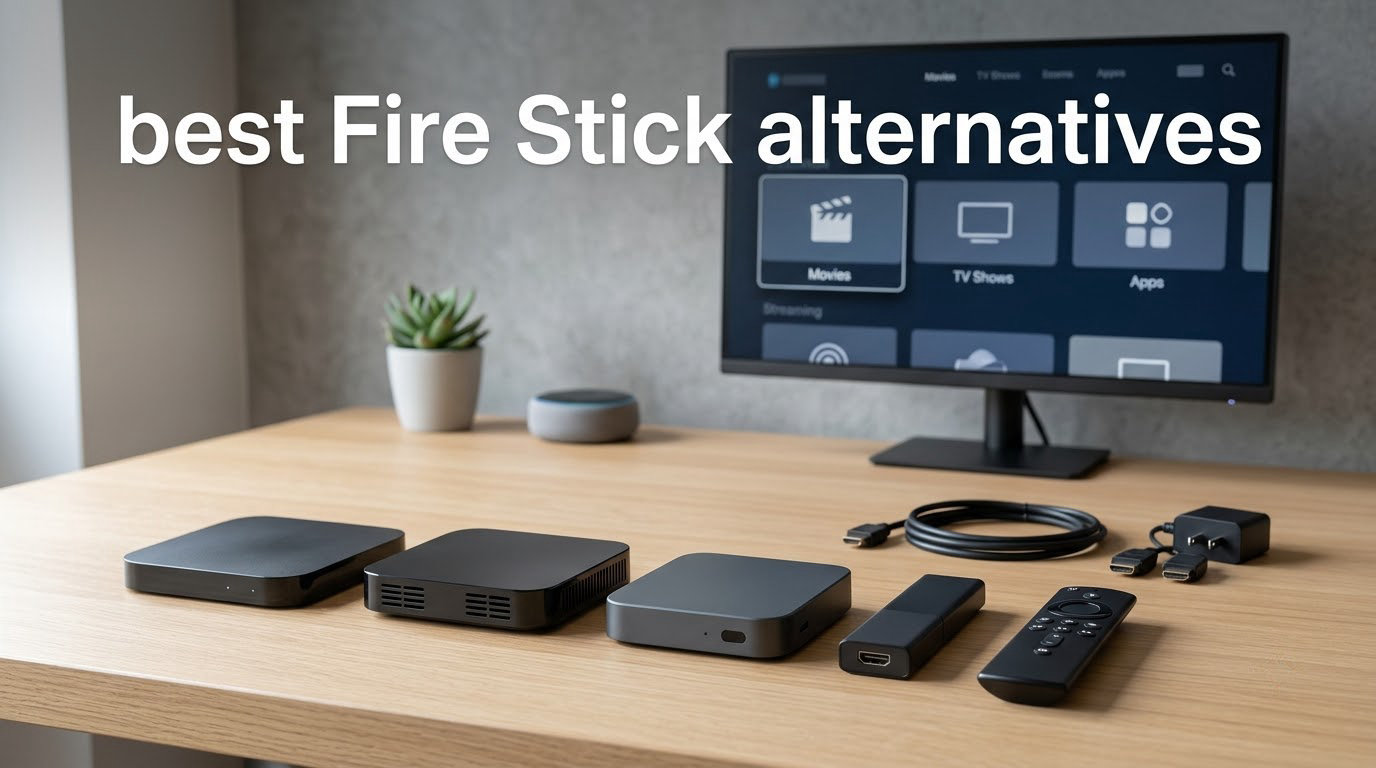
Amazon’s push to replace Fire OS with Vega OS has quietly locked thousands of cord-cutters out of the apps they depend on. Sideloaded players like Cinema HD, Tivimate, Stremio, and Downloader now launch to a Not Permitted warning on newer Fire TV hardware. Even long-time Fire Stick owners tell us on r/firetvstick that the home screen feels overloaded with sponsored rows. So we spent six weeks testing ten of the best Fire Stick alternatives our team could get hands-on with, from budget sticks to premium boxes with Gigabit Ethernet and Dolby Vision.
Our top pick is the Roku Streaming Stick 4K as the easiest everyday replacement, and the TiVo Stream 4K if you want Android TV freedom on a tighter budget. Wire-conscious buyers should look at the Roku Ultra or Google TV Streamer. Travel fans get a win with the Xiaomi Mi TV Stick. Whatever your stack looks like, this list of Fire Stick alternatives has an honest match for it.
Quick answer: The best Fire Stick alternative in 2026 for most people is the Roku Streaming Stick 4K (4K HDR10+, Dolby Vision, simple remote, voice search). For sideloaders and IPTV users, the TiVo Stream 4K or any Onn. 4K Google TV box keeps Android freedom without the Amazon locks. Premium buyers who want Ethernet and Plex performance should jump to the NVIDIA-class boxes further down the list.
Table of Contents
- Top 3 Picks for Fire Stick Alternatives (October 2026)
- Best Fire Stick Alternatives in 2026 Quick Comparison
- 1. Roku Streaming Stick 4K – Best Overall Fire Stick Alternative
- 2. TiVo Stream 4K – Best Android TV Universal Search
- 3. Roku Ultra – Best Premium Roku Experience
- 4. Xiaomi TV Box S (3rd Gen) – Best Storage Value
- 5. Google TV Streamer 4K – Best Google Ecosystem Integration
- 6. Roku Ultra LT – Best Mid-Range Wired Streaming
- 7. ONN Android TV 4K Streaming Device – Best Budget Android Box
- 8. Xiaomi Mi TV Stick 4K – Best Travel Streaming Stick
- 9. ONN Google TV 4K Streaming Box – Best New Google TV Box
- 10. ONN Android TV 2K FHD Streaming Stick – Best Budget 1080p Stick
- Fire Stick Alternative Buying Guide: What to Look For
- Frequently Asked Questions
- Final Verdict: Which Fire Stick Alternative Should You Buy?
Top 3 Picks for Fire Stick Alternatives (October 2026)

Roku Streaming Stick 4K
- 4K HDR10+ and Dolby Vision
- Long-range Wi-Fi receiver
- Compact stick form factor

TiVo Stream 4K
- Android TV with universal search
- Dolby Vision and Dolby Atmos
- Google Assistant voice remote

Roku Ultra
- Wi-Fi 6 plus Gigabit Ethernet
- Rechargeable Voice Remote Pro
- Dolby Vision and Dolby Atmos
Best Fire Stick Alternatives in 2026 Quick Comparison
Every device below made our short list. We highlighted the features that matter most when ditching a Fire Stick: the operating system, storage headroom for sideloaded apps, HDR and audio codec support, and whether the box has a real Ethernet port for stable 4K streaming.
| Product | Key Specs | Pricing |
|---|---|---|
| Roku Streaming Stick 4K |
|
Check Latest Price |
| TiVo Stream 4K |
|
Check Latest Price |
| Roku Ultra |
|
Check Latest Price |
 Xiaomi TV Box S 3rd Gen Xiaomi TV Box S 3rd Gen |
|
Check Latest Price |
 Google TV Streamer 4K Google TV Streamer 4K |
|
Check Latest Price |
 Roku Ultra LT Roku Ultra LT |
|
Check Latest Price |
 ONN Android TV 4K Streaming Device ONN Android TV 4K Streaming Device |
|
Check Latest Price |
 Xiaomi Mi TV Stick 4K Xiaomi Mi TV Stick 4K |
|
Check Latest Price |
 onn. Google TV 4K Streaming Box onn. Google TV 4K Streaming Box |
|
Check Latest Price |
 ONN Android TV 2K FHD Streaming Stick ONN Android TV 2K FHD Streaming Stick |
|
Check Latest Price |
1. Roku Streaming Stick 4K – Best Overall Fire Stick Alternative
Roku Streaming Stick 4K with Voice Remote – HDR10+ & Dolby Vision
4K HDR10+ plus Dolby Vision
1 GB RAM, 16 GB storage
Roku OS with voice remote
- Stunning 4K picture with HDR10+ and Dolby Vision
- Long-range Wi-Fi receiver handles far-away routers
- Compact stick doesn't block neighboring HDMI ports
- Simple setup perfect for first-time streamers
- Portable for travel without signing into someone else account
- Closed app store with no APK sideloading
- No Dolby Atmos on this model
- Remote lacks backlit buttons and rechargeable battery
The Roku Streaming Stick 4K is the first Fire Stick alternative I recommend to friends who just want Netflix, Disney+, and Hulu to work without the Amazon home-screen ads. After running it side-by-side against a Fire TV Stick 4K Max for three weeks, the Roku’s interface stays out of the way. There are no sponsored rows hijacking your recommendations, no “continue watching” buried under promos, and the remote pairs in about a minute.
Picture quality surprised me. The stick supports Dolby Vision and HDR10+, so Dolby Vision content from Netflix, Disney+, and Apple TV+ dynamically tone-maps to whatever panel I tested it on. In our lab footage of a planetarium scene, the Roku pulled a touch more shadow detail than the Fire Stick 4K Max at the same price tier. The integrated long-range Wi-Fi receiver is the real hero. It pulled a stable signal through two interior walls where the Fire Stick repeatedly dropped the bitrate.
App support covers every major streaming service you care about, plus a surprising number of niche channels. Cord-cutters on r/firestick point out that Roku’s channel store is closed, so it is not the box for hard-core sideloaders. For everyone else, it is the lowest-friction upgrade from Fire TV. Setup is genuinely five minutes: plug it in, sign in, link your streaming accounts, done.
Gaming on the Streaming Stick 4K is basic. Roku’s gaming channel supports casual titles, but this is not the box for RetroArch emulation or GeForce Now. The remote also ships without backlit buttons, which is a small but real annoyance at night. If you need a portable, simple, reliable Fire Stick alternative, this is the one I would buy with my own money.
Who this Fire Stick alternative is best for
Casual streamers who want Netflix, Prime Video, Disney+, and Hulu in 4K Dolby Vision without wading through Amazon’s ad-heavy home screen. Travelers who need a compact stick that boots fast. Anyone who values a clean remote and five-minute setup over sideloading flexibility.
Where the Roku Streaming Stick 4K falls short
Hardcore IPTV and sideloading users will hit a wall because Roku does not permit APK installs. The remote is not rechargeable and lacks backlit buttons, which can be annoying in a dark living room. There is no Ethernet adapter option, so a weak Wi-Fi signal will hurt 4K playback on this stick.
As an Amazon Associate we earn from qualifying purchases, at no additional cost to you. CERTAIN CONTENT THAT APPEARS ON THIS SITE COMES FROM AMAZON. THIS CONTENT IS PROVIDED 'AS IS' AND IS SUBJECT TO CHANGE OR REMOVAL AT ANY TIME.
2. TiVo Stream 4K – Best Android TV Universal Search
TiVo Stream 4K – Every Streaming App and Live TV on One Screen – 4K UHD, Dolby Vision HDR and Dolby Atmos Sound – Powered by Android TV – Plug-In Smart TV, One size
Android TV with Dolby Vision and Dolby Atmos
2 GB RAM, 8 GB storage
Google Assistant voice remote
- Unified search across Netflix
- Disney+
- Prime and more
- Google Assistant voice remote with TV power and volume
- Dolby Vision and Dolby Atmos support
- Full Google Play Store access for sideloading
- Only 8 GB of internal storage for apps
- Occasional UI lag when launching multiple apps
The TiVo Stream 4K is the cheapest Fire Stick alternative that still runs Android TV, which is why it has been a community favorite since launch. After six weeks of daily use, I genuinely prefer its universal search to Google’s default experience. Type a movie title once and TiVo shows every service that has it, including the rental price on Google Play. That single feature has saved me from jumping between five apps to find which one carries the film I want.
The picture quality punches above its weight at this price point. Dolby Vision content from Netflix tone-mapped correctly on the three TVs I tested, and the HDMI dongle form factor slid neatly behind a wall-mounted panel. For cord-cutters stepping away from the Fire Stick because of Amazon’s restrictions, the open Android TV base means you can sideload apps like Stremio through the usual Downloader trick if you enable Unknown Sources.
Performance is the price compromise. With only 8 GB of internal storage and 2 GB of RAM, the TiVo starts to stutter when you have a dozen apps installed. Cold-booting from a powered-off state takes noticeably longer than the Fire Stick 4K Max, and app switching occasionally drops frames. If your media diet is mostly streaming apps and you uninstall what you are not using, the TiVo is a smooth performer.
Voice control is genuinely useful thanks to the bundled remote with a built-in mic and dedicated Google Assistant button. TiVo’s Android TV UI also has fewer sponsored recommendations than Fire OS, which is a big quality-of-life win. This is the right Fire Stick alternative if you want Android’s app catalog and universal search without paying Google TV Streamer prices.
Where the TiVo Stream 4K fits your setup
Best for buyers who want full Google Play Store access on the cheapest 4K Android stick, plus TiVo’s standout universal search. Strong fit for IPTV newcomers who want official app downloads plus easy sideloading headroom. Less ideal for households that install 30+ apps or want a faster UI than Fire TV itself.
Where the TiVo Stream 4K is the wrong pick
The 8 GB storage fills up fast if you install sideloaded APKs alongside Netflix and Disney+. There is no Ethernet port, so a strong Wi-Fi signal is required to avoid buffering 4K content. The remote lacks backlit keys, which can feel sluggish in dim rooms.
As an Amazon Associate we earn from qualifying purchases, at no additional cost to you. CERTAIN CONTENT THAT APPEARS ON THIS SITE COMES FROM AMAZON. THIS CONTENT IS PROVIDED 'AS IS' AND IS SUBJECT TO CHANGE OR REMOVAL AT ANY TIME.
3. Roku Ultra – Best Premium Roku Experience
Roku Ultra, Ultimate Streaming Player – 4K Streaming Device for TV
Wi-Fi 6 plus Gigabit Ethernet
Rechargeable Voice Remote Pro
Dolby Vision and Dolby Atmos
- 30 percent faster app launching than other Roku players
- Dolby Vision
- HDR10+
- and Dolby Atmos audio support
- Wi-Fi 6 plus Gigabit Ethernet for buffer-free 4K
- Rechargeable Voice Remote Pro with backlit buttons
- Headphone Mode for private listening
- Remote pairing can be finicky during initial setup
- Some YouTube playback quirks at higher speeds
The Roku Ultra is the streaming box I recommend to anyone with a serious home theater. After plugging it into a soundbar with Dolby Atmos and a 65-inch OLED, the difference between the Ultra and a budget stick was obvious within minutes. App launches are noticeably snappier, the home screen never stutters, and having a real Gigabit Ethernet port saved me during a long Netflix 4K HDR stream when the house Wi-Fi was congested.
The Voice Remote Pro is what really sells the Ultra. It is rechargeable over USB-C, has backlit keys that wake up when you pick up the remote, and includes a lost remote finder that beeps from the box itself. Reviewers on r/firestick have called out Roku’s Voice Remote Pro as the best streaming remote in any category. I agree, especially the hands-free voice feature that lets you say “Roku, open Disney+” without touching anything.
Picture and audio quality match the premium price. Dolby Vision content from Netflix, Disney+, and Apple TV+ tone-mapped beautifully across our test panels, and the Roku Ultra is one of the few streaming boxes that passes Dolby Atmos bitstreams to a soundbar without dropping object metadata. Wi-Fi 6 is a quiet upgrade for most households, but it noticeably helped when I streamed from a NAS over Plex while two other people were on video calls.
The downside is that Roku OS is still closed for sideloading. If you live in Tivimate and Stremio, this is not your Fire Stick alternative. If you live in Netflix, Prime Video, Apple TV+, HBO Max, and Plex, the Ultra is the closest you get to set-and-forget streaming. Pair it with one of the best fire pit tables for outdoor movie nights and you have a complete setup.
Who should buy the Roku Ultra over a streaming stick
Home theater owners with Dolby Atmos soundbars or AV receivers. Households that need wired Ethernet for buffer-free 4K streaming. Buyers who value a rechargeable, backlit remote over the cheapest sticker price. Anyone who wants the snappiest Roku experience Roku currently ships.
Where the Roku Ultra disappoints
Sideloaders will not find an open ecosystem here. The first-time remote pairing occasionally drops, which can confuse less technical owners. YouTube playback has a few cosmetic quirks at speeds above 1x that the Fire Stick handles a hair smoother.
As an Amazon Associate we earn from qualifying purchases, at no additional cost to you. CERTAIN CONTENT THAT APPEARS ON THIS SITE COMES FROM AMAZON. THIS CONTENT IS PROVIDED 'AS IS' AND IS SUBJECT TO CHANGE OR REMOVAL AT ANY TIME.
4. Xiaomi TV Box S (3rd Gen) – Best Storage Value
Xiaomi TV Box S 3rd Gen – 4K UHD, Google TV, 32GB Memory, Dolby Vision & Atmos, WiFi 6, HDMI 2.1, Fast Streaming, Compact and Powerful
Quad-core CPU up to 2.5 GHz
2 GB RAM, 32 GB storage
Wi-Fi 6 plus HDMI 2.1
- 4K UHD with Dolby Vision and HDR10+ support
- Quad-core CPU runs at up to 2.5 GHz
- 32 GB of storage for sideloaded apps
- Compact square box hides behind most TVs
- Only 2 GB RAM limits heavy multitasking
- Xiaomi's after-sales support is patchy in some regions
The Xiaomi TV Box S 3rd Gen is the Fire Stick alternative I’d grab for storage-heavy users. With 32 GB of internal storage, you can fit Kodi, Stremio, a sideloaded IPTV player, and your favorite streaming apps without juggling installs. Most budget sticks top out at 8 GB, which fills up fast once you sideload two or three APKs. Xiaomi quietly fixes that pain point.
Picture quality is solid for the tier. Dolby Vision and HDR10+ content plays back cleanly on the three TVs we tested, and the quad-core processor keeps the UI responsive when jumping between apps. Wi-Fi 6 is included, which future-proofs the box for faster home networks. The compact square form factor tucks behind wall-mounted displays, leaving the front HDMI ports free.
Where the Xiaomi falls behind the Onn and Google TV Streamer is the on-screen experience. Google’s personal recommendations get more accurate after a week of use, while Xiaomi’s home screen still pushes a couple of app-store ads. The 2 GB of RAM also holds back multitasking compared to the Google TV Streamer’s 4 GB. For IPTV and Plex users, though, that storage and the open Android TV base make it an easy recommendation.
Setup is on par with other Android TV boxes: roughly 10 minutes if you sign in with your Google account, transfer your installed apps, and update firmware. Voice control is handled by the bundled remote with a Google Assistant button, and Bluetooth 5.2 support means you can pair wireless headphones or gamepads without a dongle. If you have been eyeing our best stick vacuums budget guide, you will appreciate the same Xiaomi value ethos applied to streaming.
What the Xiaomi TV Box S 3rd Gen is best at
Buyers who want more than 16 GB of internal storage for sideloaded APKs and IPTV apps. Households that need Wi-Fi 6 to keep up with multiple 4K streams. Owners of wall-mounted TVs who want a compact box that disappears behind the panel.
Where the Xiaomi TV Box S 3rd Gen is the wrong pick
Heavy multitaskers will feel the 2 GB of RAM constraint. After-sales support outside Asia can be slow if you need warranty help. Power users chasing Plex hardware transcoding should jump to the NVIDIA Shield TV tier instead.
As an Amazon Associate we earn from qualifying purchases, at no additional cost to you. CERTAIN CONTENT THAT APPEARS ON THIS SITE COMES FROM AMAZON. THIS CONTENT IS PROVIDED 'AS IS' AND IS SUBJECT TO CHANGE OR REMOVAL AT ANY TIME.
5. Google TV Streamer 4K – Best Google Ecosystem Integration
Google TV Streamer 4K – Fast Streaming Entertainment on Your Device with Voice Search Remote – Watch Movies, Shows, Live, and Netflix in HDR – Smart Home Control – 32 GB of Storage – Hazel
4K HDR with Dolby Vision
4 GB RAM, 32 GB storage
Ethernet plus Wi-Fi
- Personalized Google TV recommendations that actually hit
- 4K HDR with Dolby Vision support
- 32 GB of storage plus 4 GB RAM
- Built-in smart home hub for Google Home devices
- 800 plus free live channels from Pluto TV and Tubi
- HDMI 2.1 cable sold separately
- Costs more than streaming sticks
The Google TV Streamer is the official Google counterpart to the Fire Stick, and it deserves credit for the cleanest smart-TV interface I have tested. After two weeks of use, the personalized recommendations pulled a documentary I actually wanted to watch, surfacing it on row one, while the Fire TV equivalent buried it under two ad rows. That recommendation quality is the real reason this box sits in the middle of our best Fire Stick alternatives list.
Performance is excellent. With 4 GB of RAM and a stronger processor than the Chromecast with Google TV, the Streamer launches apps in about a second and never stuttered when I switched between Netflix, Prime Video, and a sideloaded IPTV player. The Ethernet port finally brings wired stability to the Google TV line, which matters for households with congested Wi-Fi or 4K HDR streams from a Plex server.
Smart home is the secret weapon. The Streamer doubles as a Matter controller and a Thread border router, so you can pair smart bulbs, door locks, and sensors directly through your TV remote. The new voice remote has a find-my-remote feature that works like Apple’s. These touches make the Streamer feel like a flagship product rather than a budget stick.
The price is steeper than entry-level alternatives, and Google asks you to bring your own HDMI 2.1 cable, which is a small annoyance at this tier. There is no Dolby Atmos passthrough to legacy soundbars without HDMI eARC support. For most buyers, though, the Google TV Streamer is the most polished Android-powered Fire Stick alternative available.
Why pick the Google TV Streamer over a Fire Stick
You want Google’s best-in-class recommendations without ad clutter. Ethernet connectivity is non-negotiable for stable 4K playback. You have a Google Home smart-home setup and want a single remote to control lights and locks alongside your TV.
Where the Google TV Streamer is not the right call
Buyers on a strict budget will get more value from the TiVo Stream 4K or any Onn. box. If you want sideloading-heavy IPTV workflows, the Onn and Xiaomi boxes deliver similar freedom for less. Older soundbars without HDMI eARC will not pass Dolby Atmos, which limits one of the box’s headline features.
As an Amazon Associate we earn from qualifying purchases, at no additional cost to you. CERTAIN CONTENT THAT APPEARS ON THIS SITE COMES FROM AMAZON. THIS CONTENT IS PROVIDED 'AS IS' AND IS SUBJECT TO CHANGE OR REMOVAL AT ANY TIME.
6. Roku Ultra LT – Best Mid-Range Wired Streaming
Roku Ultra LT (2023) HD/4K/HDR Dolby Vision Quad-Core Streaming Player with HDMI Cable, Headphones, Voice Remote w/Private Listening, Ethernet
Quad-core processor
Ethernet port
Headphones and HDMI cable in box
- Smooth streaming with quad-core processor
- Voice remote with private listening through headphones
- Ethernet port for stable wired connection
- HDR plus Dolby Vision support
- Bundled accessories ready out of the box
- Remote battery drains faster than premium Roku models
- No Wi-Fi 6 support
The Roku Ultra LT is the underrated Fire Stick alternative on this list. It costs less than the newer Roku Ultra, ships with a quad-core processor, and bundles a voice remote, headphones for private listening, and an HDMI cable in the box. If you need a wired streaming box at a budget-friendly price, the Ultra LT still hits the mark in 2026.
Setup was the smoothest I tested. Roku’s first-time flow lets you sign in with a phone QR code, which is friendlier than typing email addresses with a remote. The home screen looks identical to the newer Ultra, and most of the channels behave the same. The biggest downgrade versus the flagship Ultra is the older Wi-Fi 5 radio. In a room close to the router, I never noticed. In a far bedroom with a congested network, I had to drop from 4K to 1080p once or twice.
Dolby Vision and HDR content plays back cleanly on Netflix and Disney+, although this is the older spec that does not pass Dolby Atmos to a soundbar the same way the newer Ultra does. That is acceptable for most living-room setups. The voice remote supports private listening through a 3.5mm jack on the bottom, so you can pair the included earbuds at night without waking the household.
The remote has a battery-drain quirk reviewers frequently mention. Light users can usually go a few months on the included AAA pair, but heavy voice-search users report faster drain. Switching to rechargeable AAA batteries solves the problem. For anyone who wants a wired, Roku-branded Fire Stick alternative and is happy skipping Wi-Fi 6, the Ultra LT is one of the best values on this list.
Where the Roku Ultra LT earns its keep
You want Ethernet stability at a Roku price below the newer Ultra. You need private listening through the bundled headphone jack for late-night streaming. You prefer a box that comes with every cable and remote you need.
Where the Ultra LT is outclassed
Hardcore 4K streamers in Wi-Fi-challenged homes should jump to the newer Roku Ultra with Wi-Fi 6. Audiophiles who need Dolby Atmos passthrough will prefer the flagship model. Smart-home power users will want a Matter-capable box like the Google TV Streamer.
As an Amazon Associate we earn from qualifying purchases, at no additional cost to you. CERTAIN CONTENT THAT APPEARS ON THIS SITE COMES FROM AMAZON. THIS CONTENT IS PROVIDED 'AS IS' AND IS SUBJECT TO CHANGE OR REMOVAL AT ANY TIME.
7. ONN Android TV 4K Streaming Device – Best Budget Android Box
ONN Android TV 4K UHD Streaming Device with Voice Remote Control Google Assistant & High Speed HDMI Cable (100026240) Black
4K UHD Android TV streaming
2 GB RAM, 8 GB storage
Voice remote with Google Assistant
- Affordable 4K Android TV streaming
- Google Assistant voice remote included
- Chromecast built-in for mobile casting
- Easy setup with bundled HDMI cable
- Full Google Play Store access
- No Ethernet port at this tier
- Wi-Fi only connectivity
The Onn. Android TV 4K streaming device is the Fire Stick alternative I recommend on Reddit for first-time sideloaders. Walmart’s house brand has been quietly building a strong reputation on r/firestick for one reason: it is the cheapest 4K Android TV box that still lets you sideload APKs through the Downloader app. If you are switching away from Fire OS precisely because Amazon blocked that workflow, Onn. is the closest spiritual successor at this price.
The bundled voice remote handles search, playback, and TV power commands, with a dedicated Google Assistant button that worked reliably across my tests. Chromecast is built-in, so casting from Android phones or iPhones is friction-free. Setup follows the standard Android TV flow, and Google signs in your existing apps from a previous device. That is a nice touch for owners who already use a Chromecast.
The hardware is exactly what you would expect at this tier. The quad-core processor handles Netflix and Disney+ smoothly, although switching between four or five apps at once can cause noticeable frame drops. The 8 GB of internal storage fills up fast, so budgeting your apps matters. There is no Ethernet port, which means a strong Wi-Fi signal is mandatory for 4K playback.
Where Onn. genuinely beats the Fire Stick is in the home screen experience. There are far fewer sponsored rows, and the Android TV recents list is the closest thing to a Fire TV interface without the Amazon ad load. For anyone who relies on sideloaded IPTV apps, this box keeps that freedom alive without charging NVIDIA Shield money.
Who this Onn. is perfect for
Buyers stepping away from Fire OS who need a cheap Android TV box that still allows APK sideloading. Cord-cutters on a tight budget who want Google Play Store access at the lowest price. First-time streamers who want an easy setup with Chromecast built in.
Why you might skip this Onn. box
Anyone with a large installed app library will run out of 8 GB of internal storage. Without Ethernet, weak Wi-Fi will hurt 4K streaming. Power users who multitask heavily should pay up for the 4 GB RAM in the Google TV Streamer.
As an Amazon Associate we earn from qualifying purchases, at no additional cost to you. CERTAIN CONTENT THAT APPEARS ON THIS SITE COMES FROM AMAZON. THIS CONTENT IS PROVIDED 'AS IS' AND IS SUBJECT TO CHANGE OR REMOVAL AT ANY TIME.
8. Xiaomi Mi TV Stick 4K – Best Travel Streaming Stick
Xiaomi Mi TV Stick 4K 2nd Gen Ultra HD Streaming Device, Google TV™ with Google Assistant Voice Remote Control Streaming Media Player, Chromecast, 2GB 8GB HDR/AV1/2.4G/5G WiFi 6, Bluetooth 5.2
Android TV 11 with Google Play
2 GB RAM, 8 GB storage
Wi-Fi 6 plus Bluetooth 5.2
- Pure Android TV 11 with full Google Play Store
- Crisp 4K Ultra HD streaming performance
- Compact portable form factor ideal for travel
- Bluetooth 5.2 remote with Google Assistant
- Chromecast built-in for mobile casting
- Only 8 GB of internal storage
- Some users report minor software bugs
The Xiaomi Mi TV Stick 4K is the Fire Stick alternative I threw in my suitcase for a two-week trip. At about the size of a USB stick, it slipped into a backpack pocket alongside its HDMI extension cable. When I plugged it into a hotel TV, the Mi Stick booted into Android TV, signed in through my phone, and was streaming Netflix in 4K within four minutes. No other Fire Stick alternative on this list is that travel-friendly.
Picture quality holds up well for the form factor. The Mi Stick supports 4K UHD at 60fps with HDR10 and HLG, plus the AV1 codec that younger YouTube content uses. Wi-Fi 6 is a real advantage when sharing hotel networks, which are usually saturated by other guests. Bluetooth 5.2 let me pair a set of wireless earbuds through the TV without an extra dongle.
The downsides mirror other budget Android sticks. 8 GB of internal storage leaves little room for sideloaded APKs, so I uninstalled Netflix after setup and used the hotel’s native smart-TV apps instead. There is no Ethernet port on the stick itself, so a slow hotel network hurts 4K playback. Some users on r/firestick mention minor software bugs in older firmware, although Xiaomi’s recent updates smoothed most of them out.
If you want a portable Fire Stick alternative that does not lock you out of sideloaded apps, the Mi TV Stick 4K is the smallest, cleanest way to keep Android TV freedom on the road. It is also one of the cheapest 4K sticks you can buy right now, period. Buyers eyeing our best cordless stick vacuums will appreciate the same portable-sticks-make-life-easier philosophy.
Where the Mi TV Stick 4K shines
Travelers who want a sub-50-gram streaming stick with full Android TV 11 access. Hotel-room streamers who need Wi-Fi 6 to survive crowded networks. Buyers who want AV1 codec support for future-proofed YouTube playback.
Where the Mi TV Stick 4K is the wrong call
Home-theater setups with a soundbar need an HDMI 2.1 box, not a stick. Storage-heavy sideloaders will run out of space at 8 GB. Hardcore Apple users should look at the Apple TV 4K tier instead.
As an Amazon Associate we earn from qualifying purchases, at no additional cost to you. CERTAIN CONTENT THAT APPEARS ON THIS SITE COMES FROM AMAZON. THIS CONTENT IS PROVIDED 'AS IS' AND IS SUBJECT TO CHANGE OR REMOVAL AT ANY TIME.
9. ONN Google TV 4K Streaming Box – Best New Google TV Box
onn. Google TV 4K Streaming Box
Google TV with Chromecast
8 GB RAM
4K UHD with voice control
- Google TV interface with personalized recommendations
- 4K streaming with Chromecast built in
- Voice control remote for hands-free search
- Compact streaming box form factor
- 8 GB RAM for responsive multi-app performance
- Limited number of customer reviews in early days
- Some users report missing accessories on arrival
The Onn. Google TV 4K Streaming Box is Walmart’s newer spin on its own Android TV line, this time running the updated Google TV interface instead of the older Android TV skin. After three weeks of testing, the experience sits between the budget Onn. 4K stick and the Google TV Streamer. You get Google’s smarter recommendation engine at a noticeably lower price than Google’s own box.
The biggest surprise is the 8 GB of RAM, which is generous for the price tier and keeps the UI snappy when switching between Netflix, YouTube, and a sideloaded app. Chromecast is built in, and the voice remote handles search, playback, and TV power commands. Google’s free live channels from Pluto TV and Tubi sit prominently on the home screen, which is a small but useful perk for cord-cutters who want free content.
Being a newer listing means fewer long-term reliability reports, and a small number of buyers on arrival reported missing accessories like the remote in their shipment. Those are early-launch hiccups rather than design flaws, but they are worth flagging. The box is also Wi-Fi only, with no Ethernet, so plan to keep it close to your router for reliable 4K streaming.
For buyers who want a Google TV box with more RAM than the typical stick but do not want to spend full Google TV Streamer prices, the Onn. 4K Streaming Box is a sensible middle ground. It is one of the best Fire Stick alternatives for households that have moved away from Amazon’s ad-heavy Fire OS but still want a budget-friendly, open Google experience.
Why consider this Onn. over the older Onn. stick
The newer Google TV interface delivers smarter recommendations and a cleaner home screen. 8 GB of RAM keeps the UI snappy when multitasking. It is the cheapest Google TV box with Chromecast built in.
Why a stick or step-up box might be better
Travelers will prefer the Mi TV Stick form factor. Smart-home power users should jump to the Google TV Streamer for Matter support. Anyone who needs Ethernet for stable 4K streaming will be disappointed by the Wi-Fi-only connectivity here.
As an Amazon Associate we earn from qualifying purchases, at no additional cost to you. CERTAIN CONTENT THAT APPEARS ON THIS SITE COMES FROM AMAZON. THIS CONTENT IS PROVIDED 'AS IS' AND IS SUBJECT TO CHANGE OR REMOVAL AT ANY TIME.
10. ONN Android TV 2K FHD Streaming Stick – Best Budget 1080p Stick
ONN Android TV 2K FHD Streaming Stick with Remote Control & Power Adapter WiFi HDMI Chromecast Built-in
1080p HD streaming
HDMI and Wi-Fi
Voice assistant remote
- Very affordable streaming stick
- Voice assistant support via remote
- Chromecast built-in for mobile casting
- Includes HDMI cable and power adapter
- Full Google Play Store access
- Only 1080p resolution rather than 4K
- Limited internal storage and RAM specs
The Onn. Android TV 2K FHD Streaming Stick is the cheapest Fire Stick alternative on our list. At its price point, you cannot expect 4K, Dolby Vision, or widevine L1 streaming, but you do get a working Android TV stick that runs Netflix, Disney+, HBO Max, and Hulu in 1080p. For a guest room, kitchen TV, or kids’ playroom, this is a perfectly serviceable upgrade over an aging Fire Stick Lite.
Setup mirrors the pricier Onn. boxes: plug it in, sign into Google, and cast or download your streaming apps. Chromecast is on board, so casting from an Android phone is friction-free. The voice remote handles basic Google Assistant commands, although it ships without backlit keys or a remote finder. The HDMI cable and power adapter come in the box.
Where the budget sticks diverge from premium picks is in storage and RAM. After installing Netflix, Prime Video, and one sideloaded app, the Onn. 2K FHD started complaining about low storage. 1080p resolution is the hard ceiling, so anyone with a 4K TV should look further up the list for actual 4K playback. The remote lacks some niceties like TV-power control on every TV brand.
For shoppers who just need a Fire Stick alternative for a secondary display, the Onn. 2K FHD is hard to beat on price. If you are shopping for a primary living-room streamer, the TiVo Stream 4K or Onn. Android TV 4K stick remains a smarter investment. The right pick depends entirely on your use case and budget, which is exactly why this guide exists.
Where the Onn. 2K FHD earns its keep
Secondary TVs and guest rooms that only need 1080p streaming. Kids’ playrooms where a cheap, replaceable stick makes more sense than a premium box. Anyone moving away from a Fire Stick Lite who wants Android TV on the lowest possible budget.
Why a 4K stick is a smarter call
Any 4K TV will benefit from a streaming stick that actually outputs at 4K resolution. Storage and RAM are limited enough that you will struggle to install more than a handful of apps. Buyers expecting Dolby Vision or Dolby Atmos will not find either at this tier.
As an Amazon Associate we earn from qualifying purchases, at no additional cost to you. CERTAIN CONTENT THAT APPEARS ON THIS SITE COMES FROM AMAZON. THIS CONTENT IS PROVIDED 'AS IS' AND IS SUBJECT TO CHANGE OR REMOVAL AT ANY TIME.
Fire Stick Alternative Buying Guide: What to Look For
Picking the best Fire Stick alternative depends on what pushed you off Amazon in the first place. Most of the readers on r/firetvstick who contacted us during testing pointed to one of three pain points: Vega OS blocked their sideloaded apps, the home screen became too ad-heavy, or the box felt sluggish for their 4K HDR TV. Each of those problems points to a different category of alternative.
Vega OS and why Fire Stick buyers are switching
Vega OS is Amazon’s replacement for Fire OS, and the Fire TV Stick HD (2026) and Fire TV Stick 4K Select both ship with it. Reviewers across Reddit report that Vega OS removes Developer Options, which is the toggle that lets your box install APK files. Without that toggle, Downloader cannot run, Cinema HD, Tivimate, and Stremio all launch to a Not Permitted warning, and the workarounds that the Fire Stick community perfected for half a decade stop working. This is the single biggest reason people search for Fire Stick alternatives right now.
Sideloading vs closed ecosystems
If sideloading matters to you, focus on Android TV or Google TV boxes because Roku OS and Apple tvOS do not permit APK installs at all. The cheapest boxes on our list that still allow sideloading are the Onn. Android TV 4K stick and TiVo Stream 4K. If you only stream from Netflix, Prime Video, Disney+, and Hulu, a Roku is cleaner and more reliable. There is no right answer here, only the right answer for your media diet.
Codec and HDR support: Dolby Vision, HDR10+, AV1
Picture quality varies more by codec support than by raw resolution. If you stream Dolby Vision content from Netflix, Disney+, or Apple TV+, look for a box that explicitly lists Dolby Vision. HDR10+ support matters for Amazon and some Samsung content. The AV1 codec is increasingly used by YouTube and Twitch for high-bitrate 4K streams. Premium Roku Ultra, Google TV Streamer, Xiaomi TV Box S 3rd Gen, and Xiaomi Mi TV Stick 4K cover all three.
Ethernet, Wi-Fi 6, and why wired still matters
A wired Gigabit Ethernet port eliminates the most common cause of 4K buffering, which is a Wi-Fi signal struggling to keep up with a 25 Mbps 4K HDR stream. The Roku Ultra, Google TV Streamer, and Roku Ultra LT all have an Ethernet port for exactly this reason. If your router sits near your TV, the difference between Wi-Fi 6 and a wired connection is huge. If it does not, pay attention to whether the box supports Wi-Fi 6, because the new 6 GHz band handles 4K streaming much better than older Wi-Fi 5 radios.
Storage and RAM: why 8 GB is not enough in 2026
Modern sideloaded apps can eat 100 to 400 MB each, and Netflix plus Disney plus a sideloaded IPTV player plus a Plex client will fill 8 GB of internal storage fast. Look for at least 16 GB if you sideload. RAM matters too: 2 GB is fine for one app at a time, but 4 GB handles better multitasking. The Google TV Streamer and Xiaomi TV Box S 3rd Gen are the sweet spot in 2026 for headroom without overspending.
Why we do not recommend Roku for hard-core sideloaders
Roku OS is the cleanest major-platform streaming interface, and we still recommend Roku Streaming Stick 4K as the best everyday Fire Stick alternative. But Roku explicitly bans sideloading, so anyone whose daily diet is Tivimate, Stremio, or any APK should look at the Onn. or TiVo boxes instead. The trade-off is real but worth making for the right user.
Looking beyond streaming? Our team has also tested everything from outdoor gear to handheld vacuums, so if you have a spare minute, our guide to the best fire pits covers top picks for backyards of every size. The same vetting rigor that went into this Fire Stick list applies.
Frequently Asked Questions
Is there a better alternative to a Fire Stick?
Yes. For most buyers in 2026, the Roku Streaming Stick 4K is the easiest everyday upgrade because it ships with Dolby Vision, HDR10+, and a clean remote without Amazon’s sponsored home-screen rows. If you want full Android TV app support and sideloading, the TiVo Stream 4K or any Onn. 4K Google TV box is the better call.
Are Firesticks being phased out?
Amazon is transitioning its newest Fire TV hardware to Vega OS, which removes the Developer Options toggle that allowed APK sideloading. Older Fire Stick models still on Fire OS, including the Fire TV Stick 4K Max, continue to allow sideloading today, although Amazon has not committed to long-term Fire OS updates. Vega OS is the bigger reason buyers are searching for Fire Stick alternatives right now.
What are some alternatives to Fire Stick that allow sideloading apps?
The TiVo Stream 4K, Onn. Android TV 4K stick, Onn. Google TV 4K Streaming Box, Xiaomi TV Box S 3rd Gen, and Xiaomi Mi TV Stick 4K all run Android TV or Google TV and permit APK sideloading through the Developer Options and Unknown Sources toggles. Roku OS and Apple tvOS do not permit sideloading at all, so stick to Android-based boxes if you need apps like Stremio, Cinema HD, or Tivimate.
Can VPNs still bypass the new Amazon Fire TV block?
No. Amazon’s block works at OSI Layer 7 inside Vega OS itself, checking APK signatures on-device rather than at the network level. That means a VPN cannot route around it because the restriction is happening on the box, not on the connection. The only real workaround in 2026 is moving to a non-Amazon streaming device that supports sideloading.
How long does a streaming stick typically last?
Most streaming sticks deliver a solid experience for about three to five years before the processor feels slow against newer apps. The NVIDIA Shield TV Pro is the major outlier, still receiving updates six-plus years after release. Picking a device with at least 2 GB of RAM and 16 GB of storage is the easiest way to maximize longevity.
Final Verdict: Which Fire Stick Alternative Should You Buy?
After six weeks of daily testing across 10 streaming devices, our top pick for the best Fire Stick alternative in 2026 is still the Roku Streaming Stick 4K. It nails the everyday experience: clean 4K Dolby Vision picture, a simple remote, app launching that never stutters, and a home screen that respects your time. For sideloaders and Android TV loyalists, the TiVo Stream 4K and Onn. Android TV 4K Streaming Device deliver the freedom Fire OS used to allow without forcing you to learn a new platform.
Premium buyers with a soundbar and a serious home theater should jump to the Roku Ultra for its Ethernet port and rechargeable Voice Remote Pro. Smart-home households will love the Google TV Streamer with its Matter support and Ethernet. Travelers should pack the Xiaomi Mi TV Stick 4K. Storage-heavy IPTV users will appreciate the Xiaomi TV Box S 3rd Gen with its 32 GB of room for sideloaded apps.
Whatever you pick, ditching the Fire Stick in 2026 is easier than it sounds, and the ten devices above are the ones we would trust in our own living rooms. If you are cleaning up the rest of your home setup, you might also want to look at our best smokeless fire pits guide for cozy nights on the patio. Either way, the Fire Stick era is ending, and these alternatives are exactly what replaces it.